Managing content
How to manage content once the system is up and running.
1. Component types
Component types (templates) are defined in the entity "Component Types".

A component type is composed of 4 attributes:
The name
Just the name shown in the dropdown, when selecting a component type for a page component.
The preview image
A sample image, that will be shown when selecting the component type for a page component.
The template
Either:
An ID of an HTML template, defined as a template in the designer.
The raw HTML template.
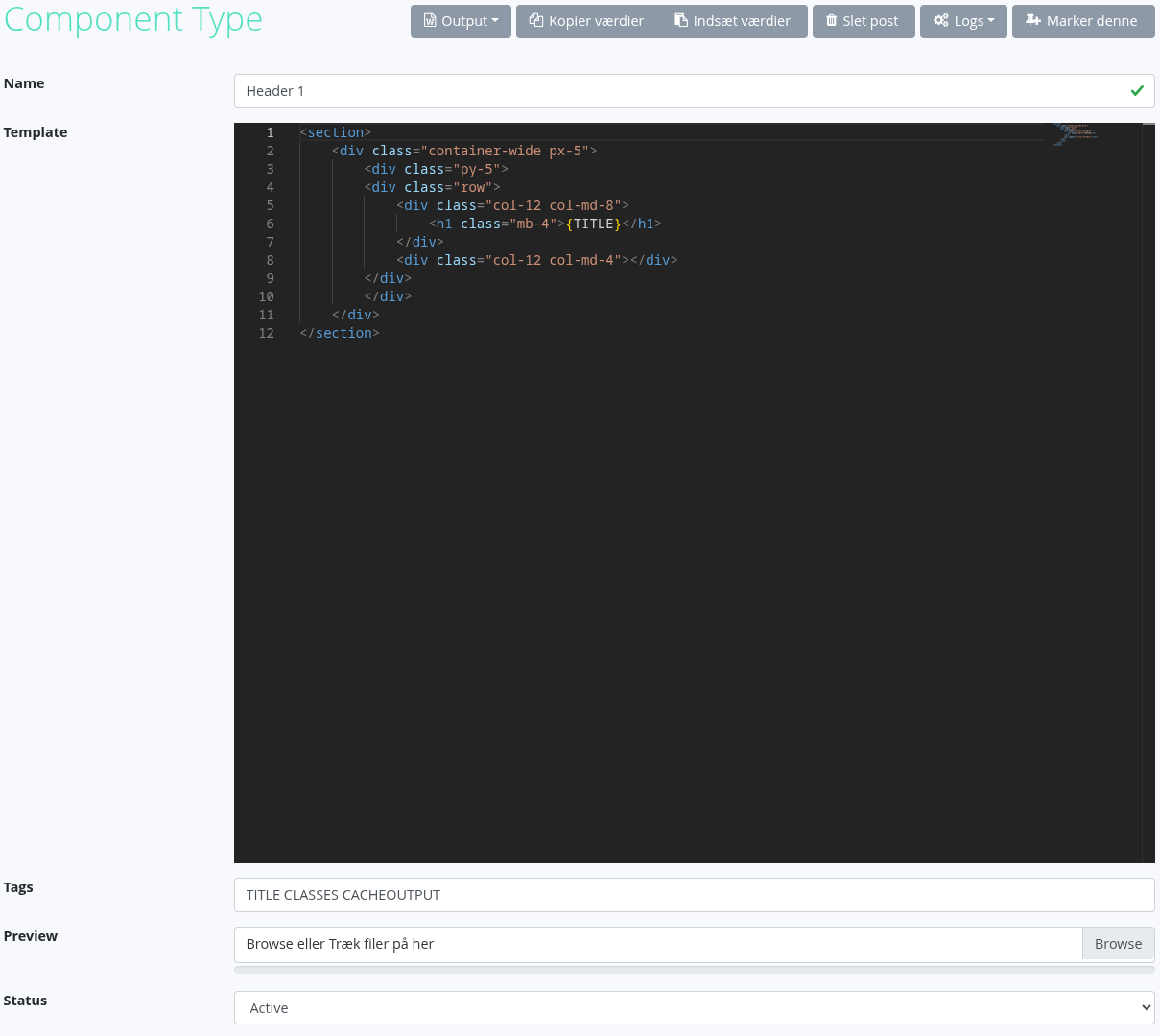
When inputting content into the template the following syntax is used:
The system name of the field, encapsulated in curly brackets, eg. {TITLE}.
Simple compares are available, eg. {IF_TITLE=ABC}.
Must also have an end-tag, {ENDIF}.
Can also make use of an else-tag, {ELSE}, eg. {IF_TITLE=ABC}<div>{SUBTITLE}</div>{ELSE}<span{SUBTITLE}</span>{ENDIF}.
Execution of page codeunits is also supported.
Input the name of the codeunit, like you would in the url command-parameter, prefix with a @ and encapsulate in curly brackets, eg. {@com.tsnocode.codeunit.common.HelloWorld}.
Execution of codeunits is the last instruction, when redering a component, thus it is possible to inject this value from an input field.
2. Media
User defined media (images or video), is defined in the entity "Media Files".

A media file is composed of 4 attributes.
The name
Just the name shown in the dropdown, when selecting a component type for a page component.
The type
Is it an image or a video.
The content
An image or a video, based on the type selected.
An alt-text
The alt-text added to the HTML, that will be shown if the media fails to load, and will be used by screen readers.
A media file also has 2 system attributes.
The public path
A path to where this file is publicly available.
The alt public path
Only used for videos. A path where a thumbnail for this video is publicly available.
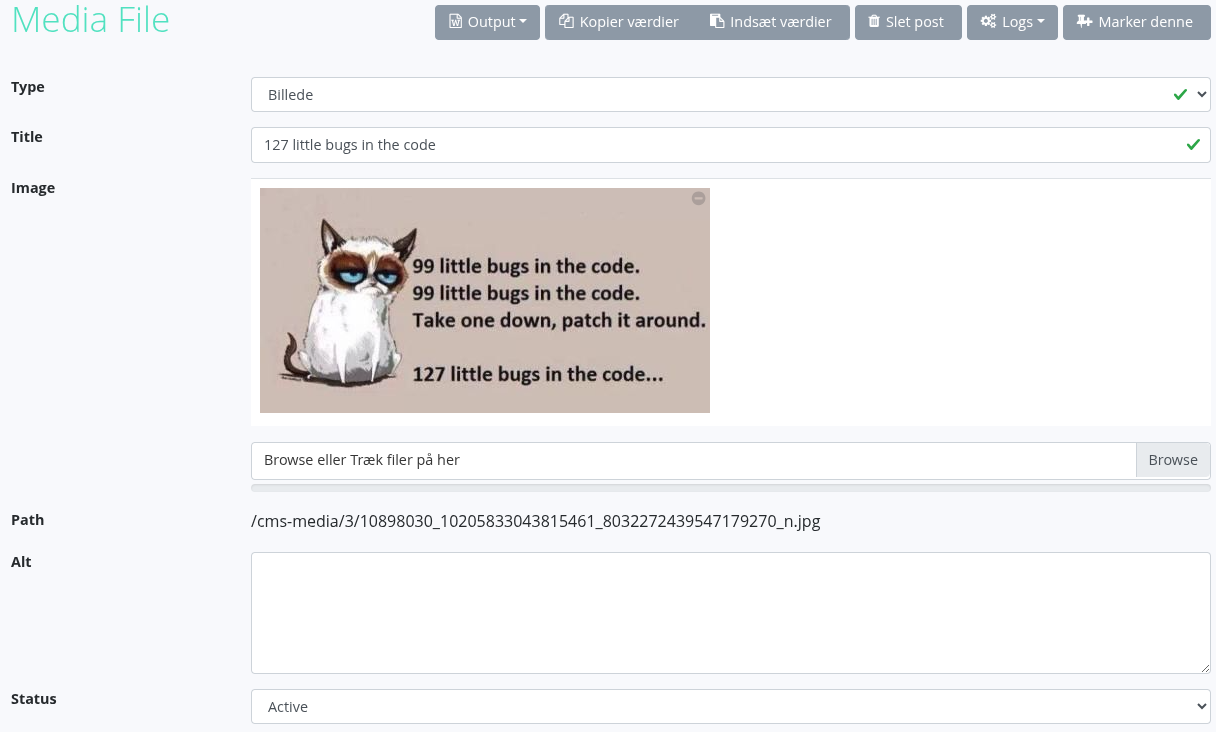
Every time a media file is saved, the file is written to disk, and the public path is updated.
If the media is a video, then the video is also re-encoded into the defined resolutions and bitrates. This takes a while and therefore the site will be loading for a little while. A thumbnail is also generated, and that path is saved in the field "Alt Path".
3. Pages
The browsable pages are defined in the "Pages" entity. A page consists of somebasic information and a list of components.

A page is composed of 8 attributes.
The name
The name shown in the window title.
The path
The url that a user should navigate to, to view this page.
Gets auto-generated based on the title.
Must be unique.
A description
A description for the administrators.
Is not outputted.
A list of components
The actual content of the site.
CSS classes
Classes to add to the body tag.
Can be used to control background/accent colors.
A Wrapper
The wrapper to use for this page.
A Stylesheet
The stylesheet to use for this page.
Cache option
Should the rendered component be cached in memory.
Do not enable this option, if the page contains information about the signed in user.
At the top of the page there is a preview button. Clicking this will clear the cache and open the page, displaying the page as it would be, if navigated to by a user.
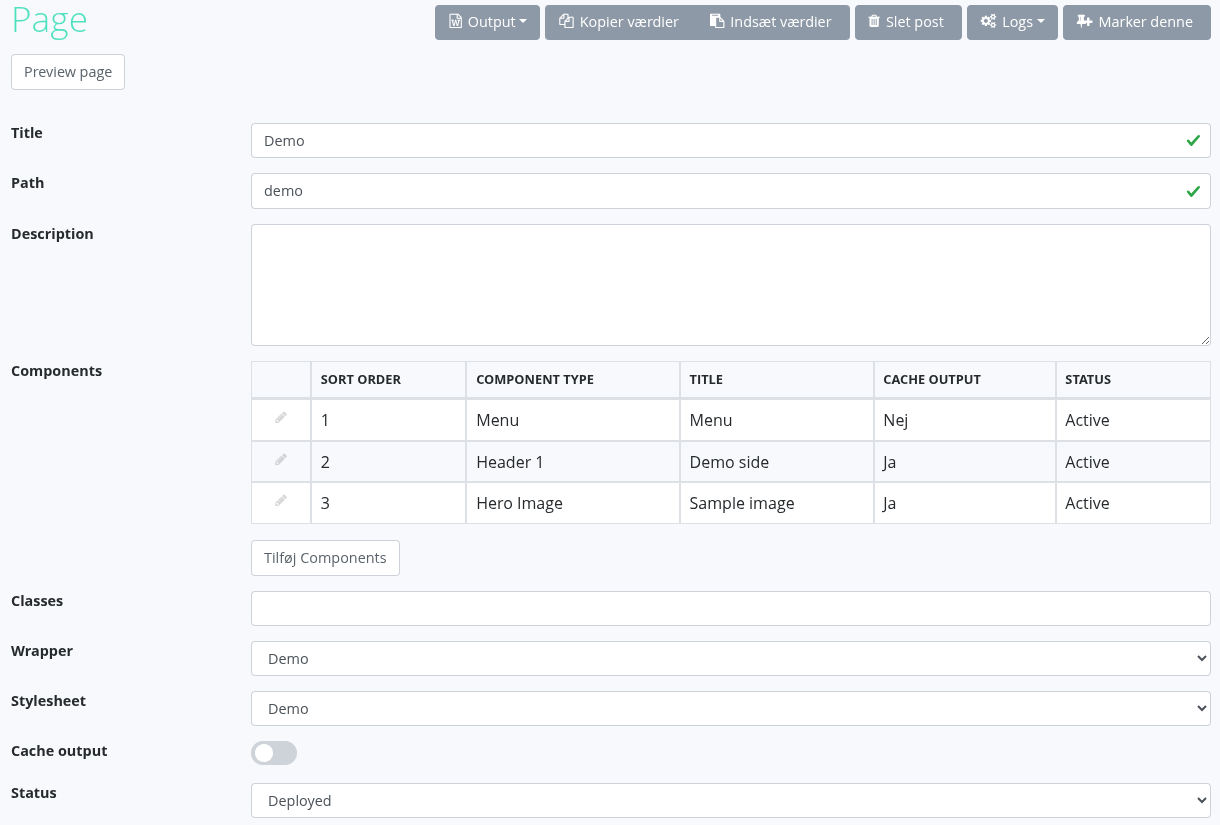
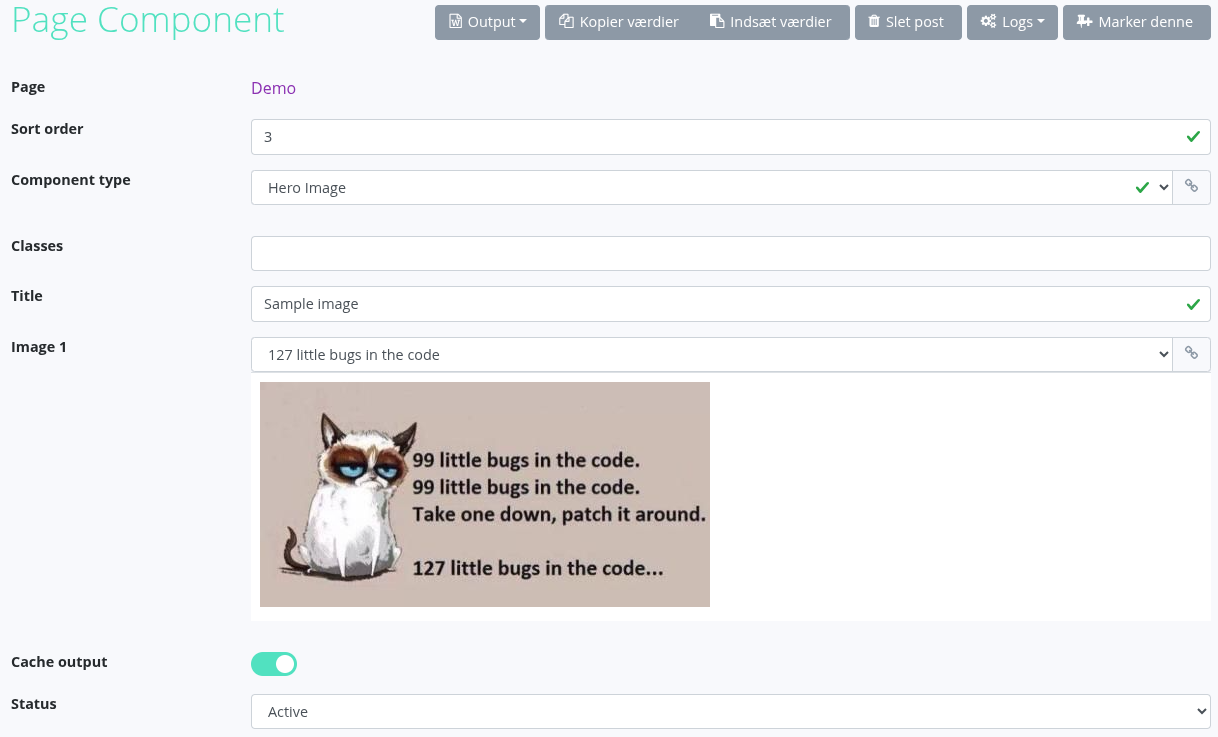
What a page component is composed of, depends on the component type selected.
There are 2 required components.
Sort order
Controls the order of the components, when rendering the page.
Component type
The template to use when rendering.
There are a couple different optional components, and this list is not set in stone, it can be adjusted to match the needs of the defined component types.
Multiline text 1-4
Multiline text boxes.
Any new-line will be replace with an html break tag.
Prepending lines with a * will konvert them to an unordered list.
Prepending the entire text with a * will konvert all lines til items in an unordered list.
Image 1-2
Reference to a media file.
Has a preview attatched, that updates with the selection.
CSS classes
Classes to add to the component.
Can be used to control background/accent colors.
Cache output
Should the rendered component be cached in memory.
Do not enable this option, if the page contains information about the signed in user.
Every time a page is saved, if the path changed, the system will add a redirect from the old path to the current one.
Saving a page or a component that is cached will not result in the cache being cleared.
4. Menu
The Basic Menu codeunit uses the structure defined in the "Menu" entity.
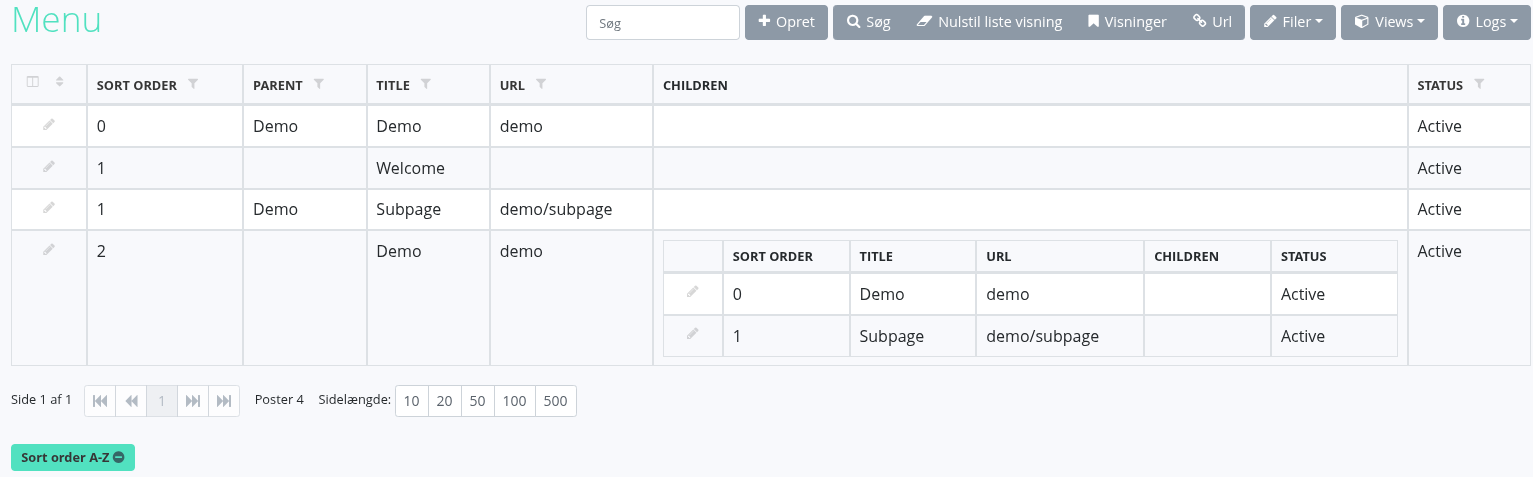
A menu item is composed of 5 attributes.
Sort order
Used to control the order of the menu.
Parent element
If this element should be nested under another menu item.
Title
The title shown in the menu.
Here it is a reference to a page.
Url
The url to redirect to, when a user clicks the menu item.
Here it is a copy of the path from the referenced page.
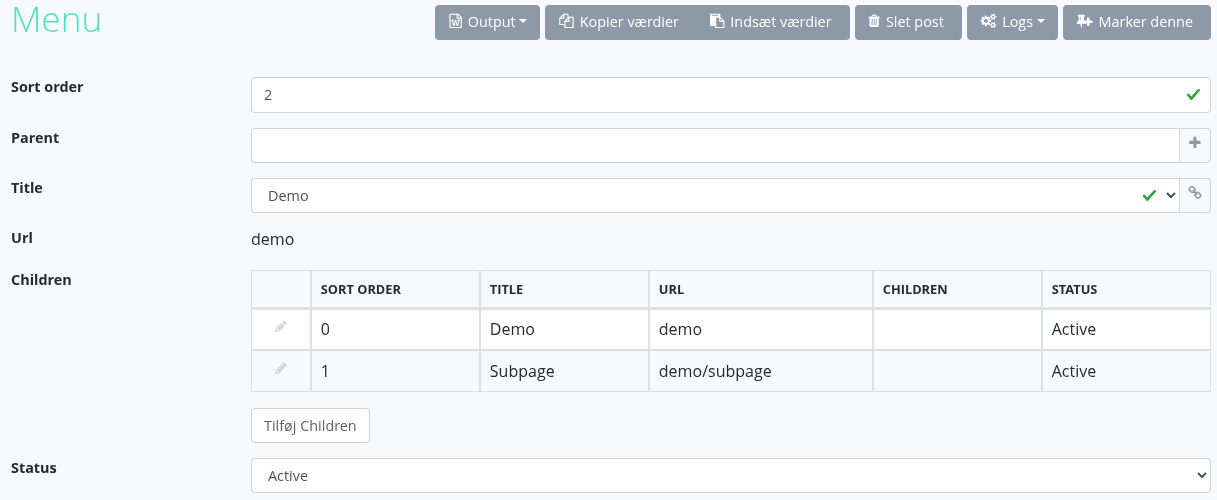
Sub elements
If this menu item doesn't have a parent element, this element is available.
Shows the list of elements to show in a dropdown un this menu element.
5. Redirects
Redirects are defined in the entity "Redirects".

A redirect is composed of 2 attributes.
From
The url that a user accesses.
The part after /p/.
Can't contain a ? and will only react to the part before the ? of the url that a user accessses.
Eg. /p/some-page?param=foobar, will be seen as some-page.
To
The url that a user should be redirected to.
Can only be the part of the url that comes after /p/.
