Parent/child
- Package name: relation
- Parent reference
- List of children
- List of children (status filter)
- List of children (select fields)
- List of children (type filter)
- Children type selector (type filer)
- Calc children: Sum
- Calc children: Count
- Calc children: Unique
- Calc children: Minimum
- Calc children: Average
- Calc children: Maximum
- Many to many relation
- Parent reference [shared]
- List of children (grid-editor)
- List of children [shared]
Parent reference
This field creates a reference to another record. Useful in hierarchical data structures. This field allows the parent to implement List of Children type fields. In edit mode, this field displays as a black text box with text autocomplete, which means that the user must know at least some of the resume name of the parent they're looking for. Most times a simple drop down of options is preferred, in which case the field Lookup: Data item should be used. In most cases it is functionally identical to this field.
Properties
- Type: Parent/child
- Groupable: No
- Show in lists: Yes
- Searchable: Yes
- Requires configuration: Yes
User interface
Field in show mode

Field in edit mode

Configuration
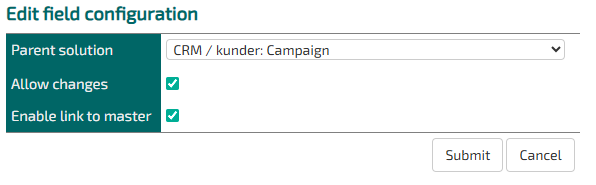
Parent solution: Specify which entity the parent record belongs to.
Allow changes: If this is not checked, the parent cannot be changed later.
Enable link to master: If this is checked, a button will appear that links directly to the parent. Usually nice to have.
Developer info
- FeltTypeID: 201
- SQL datatype: INT(11)
- Class name: FieldSubformMaster
When writing javascript that reacts to changes in this field type use the following code, instead of onchange.
This snippit wil react as soon as an option is selected instead of when the user exits the field
$("#DATA_SELSKAB").on("autocompleteclose", () => {
    setTimeout(() => {
        // Do stuff
    }, 50)
})
List of children
This displays a list of all children that refer to this via a specific field. This field can be either of type Parent reference or Lookup: Data item
Properties
- Type: Parent/child
- Groupable: No
- Show in lists: Yes
- Searchable: Yes
- Requires configuration: Yes
User interface
Field in show mode

Field in edit mode
[INSERT IMAGE]
Configuration

Child solution key: Choose which reference field in which entity that the List of Children field should operate from.
Parameters / sortorders: Normal TS url query. Remember to start with questionmark. Example:
?QUERY_FIELD_1=StatusID&QUERY_OPERATOR_1=1&QUERY_VALUE_1=24&QUERY_FIELD_2=StatusID&QUERY_OPERATOR_2=1&QUERY_VALUE_2=97
Read as "Section" > "Child Entity" > "Child's reference field"
Developer info
- FeltTypeID: 200
- SQL datatype: INT(11)
- Class name: FieldSubformList
List of children (status filter)
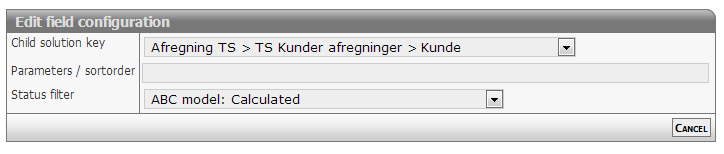
Filtered selection of subitems
Properties
- Type: Parent/child
- Groupable: No
- Show in lists: Yes
- Searchable: Yes
- Requires configuration: Yes
User interface
Field in show mode
[INSERT IMAGE]
Field in edit mode
[INSERT IMAGE]
Configuration
[Description of configs]
Developer info
- FeltTypeID: 222
- SQL datatype: N/A
- Class name: FieldSubformListStatus
List of children (select fields)
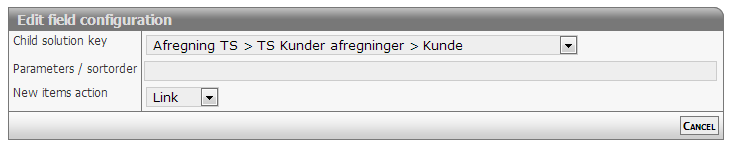
Filtered selection of fields including sortorder
Properties
- Type: Parent/child
- Groupable: No
- Show in lists: Yes
- Searchable: Yes
- Requires configuration: Yes
User interface
Field in show mode
[INSERT IMAGE]
Field in edit mode
[INSERT IMAGE]
Configuration
[Description of configs]
Developer info
- FeltTypeID: 223
- SQL datatype: INT(11)
- Class name: FieldSubformListFieldSelection
List of children (type filter)
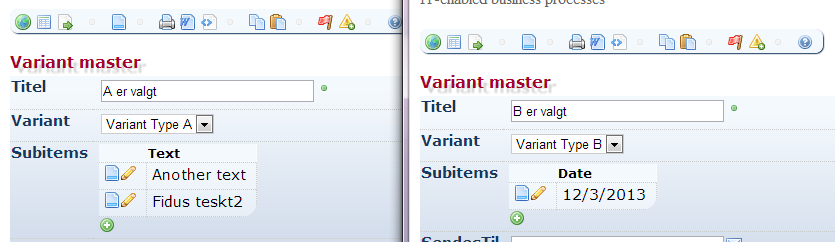
For use with 'Children type selector'
Properties
- Type: Parent/child
- Groupable: No
- Show in lists: Yes
- Searchable: Yes
- Requires configuration: Yes
User interface
Field in show mode
[INSERT IMAGE]
Field in edit mode
Configuration
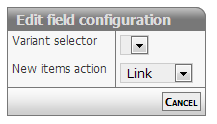
[Eventuel beskrivelse af configs]
Developer info
- FeltTypeID: 220
- SQL datatype: INT(11)
- Class name: FieldSubformListVariant
Children type selector (type filer)
For use with 'List of children (type)'
Properties
- Type: Parent/child
- Groupable: No
- Show in lists: Yes
- Searchable: Yes
- Requires configuration: No
User interface
Field in show mode
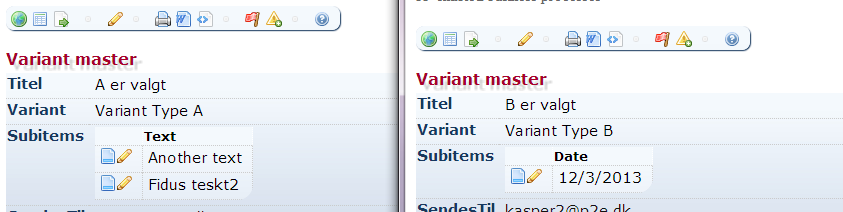
Field in edit mode
[INSERT IMAGE]
Configuration
No configuration required for this field type
Developer info
- FeltTypeID: 221
- SQL datatype: VARCHAR(80)
- Class name: FieldSubformVariant
Calc children: Sum
Sum of values in underplaced data
Properties
- Type: Parent/child
- Groupable: No
- Show in lists: Yes
- Searchable: Yes
- Requires configuration: Yes
User interface
Field in show mode
[INSERT IMAGE]
Due to its nature this field has no special editing mode.
Configuration

Required:
- Child value expression refers to a field system name. Example "HOURS"
Options:
- Additional criterions: Additional SQL statement parameter. Example "PROJECT <> 10029"
Developer info
- FeltTypeID: 210
- SQL datatype: N/A
- Class name: FieldSubformLinesSum
Calc children: Count
Sum of elements in underplaced data
Properties
- Type: Parent/child
- Groupable: No
- Show in lists: Yes
- Searchable: Yes
- Requires configuration: [Yes/No]
User interface
Field in show mode
[INSERT IMAGE]
Due to its nature this field has no special editing mode.
Configuration

[Description of configs]
Developer info
- FeltTypeID: 211
- SQL datatype: N/A
- Class name: FieldSubformLinesCount
Calc children: Unique
[DESCRIPTION]
Properties
- Type: Parent/child
- Groupable: No
- Show in lists: Yes
- Searchable: Yes
- Requires configuration: Yes
User interface
Field in show mode
[INSERT IMAGE]
Due to its nature this field has no special editing mode.
Configuration

[Description of configs]
Developer info
- FeltTypeID: 212
- SQL datatype: N/A
- Class name: FieldSubformLinesDistinct
Calc children: Minimum
Minimum value in underplaced data
Properties
- Type: Parent/child
- Groupable: No
- Show in lists: Yes
- Searchable: Yes
- Requires configuration: Yes
User interface
Field in show mode
[INSERT IMAGE]
Due to its nature this field has no special editing mode.
Configuration
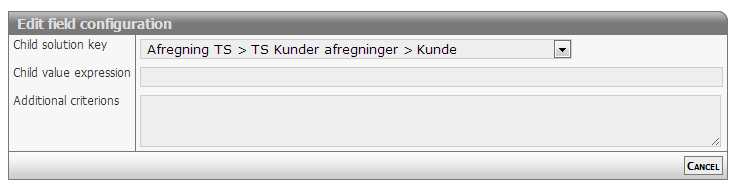
[Description of configs]
Developer info
- FeltTypeID: 213
- SQL datatype: N/A
- Class name: FieldSubformLinesMin
Calc children: Average
Average value in underplaced data
Properties
- Type: Parent/Child
- Groupable: No
- Show in lists: Yes
- Searchable: Yes
- Requires configuration: Yes
User interface
Field in show mode
[INSERT IMAGE]
Due to its nature this field has no special editing mode.
Configuration
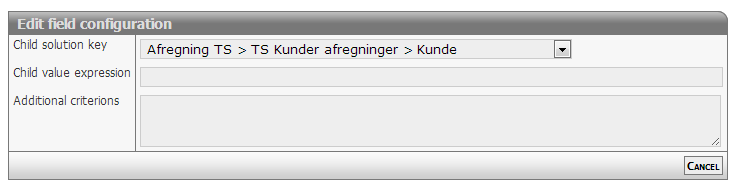
[Description of configs]
Developer info
- FeltTypeID: 215
- SQL datatype: Special
- Class name: FieldSubformLinesAverage
Calc children: Maximum
Maximum value in underplaced data
Properties
- Type: Parent/child
- Groupable: [Yes/No]
- Show in lists: [Yes/No]
- Searchable: [Yes/No]
- Requires configuration: [Yes/No]
User interface
Field in show mode
[INSERT IMAGE]
Due to its nature this field has no special editing mode.
Configuration

[Description of configs]
Developer info
- FeltTypeID: 214
- SQL datatype: N/A
- Class name: FieldSubformLinesMax
Many to many relation
[DESCRIPTION]
Properties
- Type: Parent/child
- Groupable: [YES/NO]
- Show in lists: [YES/NO]
- Searchable: [YES/NO]
User interface
Field in show mode
[INSERT IMAGE]
Field in edit mode
[INSERT IMAGE]
Configuration
[INSERT IMAGE]
[Eventuel beskrivelse af configs]
Developer info
- FeltTypeID: 240
- SQL datatype: N/A
- Class name: FieldManyToMany
Parent reference [shared]
[DESCRIPTION]
Properties
- Type: Parent/child
- Groupable: [YES/NO]
- Show in lists: [YES/NO]
- Searchable: [YES/NO]
User interface
Field in show mode
[INSERT IMAGE]
Field in edit mode
[INSERT IMAGE]
Configuration
[INSERT IMAGE]
[Eventuel beskrivelse af configs]
Developer info
- FeltTypeID: 250
- SQL datatype: INT(11)
- Class name: FieldSharedParentRecord
List of children (grid-editor)
[DESCRIPTION]
Properties
- Type: Parent/child
- Groupable: [YES/NO]
- Show in lists: [YES/NO]
- Searchable: [YES/NO]
User interface
Field in show mode
[INSERT IMAGE]
Field in edit mode
[INSERT IMAGE]
Configuration
[INSERT IMAGE]
[Eventuel beskrivelse af configs]
Developer info
- FeltTypeID: 203
- SQL datatype: INT(11)
- Class name: FieldSubformListEdit
List of children [shared]
[DESCRIPTION]
Properties
- Type: Parent/child
- Groupable: [YES/NO]
- Show in lists: [YES/NO]
- Searchable: [YES/NO]
User interface
Field in show mode
[INSERT IMAGE]
Field in edit mode
[INSERT IMAGE]
Configuration
[INSERT IMAGE]
[Eventuel beskrivelse af configs]
Developer info
- FeltTypeID: 251
- SQL datatype: INT(11)
- Class name: FieldSharedSubform