Field type reference
Documentation for all data model building blocks (content types)
- Basic
- Integer
- Decimal
- Percentage
- Yes/No
- Serial
- Response
- Enumeration
- Symbol
- Date
- Time
- Datetime
- Month
- Year
- Text
- Text multiline
- Notepad
- Hierachy/tree
- Website (URL)
- Unique key (GUID)
- Text with lookup
- Phone
- CPR nummer
- CVR nummer
- Static content
- Static button
- Static message
- Static script
- Script function
- Priority
- Currency
- Lookup
- Lookup
- Lookup (shared)
- User
- User Exclusive
- Group
- Dependent list (lokal)
- Dependent category
- List replica
- Lookup: Currency code
- Variant selector
- Database: Opslag indtastning
- Database: Opslag liste valg
- SQL: Subselect
- Lookup: Data item
- Lookup: Data item nested
- Value copy
- Value copy (text)
- Value copy (Integer)
- Value copy (decimal)
- Value copy (yes/no)
- Value copy (date)
- Value copy (cpr)
- Dependent list replica
- Lookup AJAX
- Lookup: Postnr / by
- Lookup: UNSPSC
- Lookup: NACE code
- Lookup: Country
- Lookup: ICD diagnose
- SKS Undersøgelse
- SKS Diagnose
- SKS Operation
- SKS Behandling
- SKS ATC
- SKS Ulykke
- SKS Afdeling
- Files
- Documents
- Pictures
- Videos
- Document builder
- Filesystem files
- Documents with Signing
- Value copy (files)
- Filesystem with FTP
- Documents to append
- Build remote files reference list
- Build document from structure
- Append remote files
- Tabular data
- Parent/child
- Parent reference
- List of children
- List of children (status filter)
- List of children (select fields)
- List of children (type filter)
- Children type selector (type filer)
- Calc children: Sum
- Calc children: Count
- Calc children: Unique
- Calc children: Minimum
- Calc children: Average
- Calc children: Maximum
- Many to many relation
- Parent reference [shared]
- List of children (grid-editor)
- List of children [shared]
- Complex
- Checklist lookup
- Signature
- Calc: Formula
- Calc: Test value
- Calc: Concatenate
- Calc: JavaScript
- Calc: Time lifecycle
- Calc: Time measured
- Calc: Score interval
- Calc: Check fields
- Comments
- Related form multiselect
- Related form multiselect SQL
- XML data
- Barcode (status change)
- SQL: Table query
- Calc: Flag
- Related entity multiline decimal
- Token display
- Calc: Document section
- Geomap Coding
- Geomap
- System
- Exclusive group
- Status
- Status level
- Master status
- Status set
- Status set by
- Created
- Created by
- Modified
- Modified by
- Completed
- Completed by
- Solution type
- Member list
- Revision
- Record role permission
- Member group list
- Medico
- Action button
- Button: Token URL builder
- Button: Export template
- Button: Script execution
- Button: Parameterized URL
- Button: Related list search
- Button: Grand child search
- Button: Codeunit execution
- Button: Status changer
- Filter selector static
- Button: Clone record
- Visual extra
- Visual: Target gauge Total
- Visual: Target gauge Step
- Canvas: Freehand
- Canvas: Marking
- Sliderbar
- SQL: Diagram query
- Extension
- Word heatmap index
- Question and answer
- Complex question
- Multiline: Complex question
- Multiline: Location editor
- Year comparator
- Calc: Complex question (sum)
- Calc: Count missing fields
- Jobnet OccupationConceptUri
- Document snippet
- Multiline: Index builder
- Question and answer
- Complex question MV
- Diagram builder
Basic
Basic fields that just store some information or do not require much, if any, configuration.
- Package name: basic
Integer
Capable of containing whole numbers (no decimals).
Due to technical limitations the number can't be smaller than -2.147.483.648 or larger than 2.147.483.647.
Properties
- Type: Basic
- Groupable: No
- Show in lists: Yes
- Searchable: Yes
- Requires configuration: No
User interface
Field in show mode

Field in edit mode

Configuration

Developer info
- FeltTypeID: 10
- SQL datatype: INT(11)
- Class name: FieldNumberInteger
Decimal
Numbers with decimal comma
Properties
- Type: Basic
- Groupable: No
- Show in lists: Yes
- Searchable: Yes
- Requires configuration: No
User interface
Field in show mode

Field in edit mode

Configuration

[Mangler forklaring af "Use category styling" samt link til side om hvad category betyder i platformen]
Default precision is 2, if nothing else is set.
Developer info
- FeltTypeID: 11
- SQL datatype: DECIMAL(20,6)
- Class name: FieldNumberDecimal
Percentage
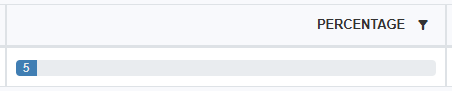
This field is used to show a bar in list views as seen below. It should only be used with whole percentages between 0 and 100. When using this field with formulas the value is not automatically divided by 100, which means that a value of 5% is interpreted as "5".
Note - The policy "showPercentageAsBar" must be set to true for the field to be rendered as a progress bar:
See Rendering policies
Properties
- Type: Basic
- Groupable: No
- Show in lists: Yes
- Searchable: Yes
- Requires configuration: No
User interface
Field in show mode

Field in list mode
Field in edit mode

Configuration
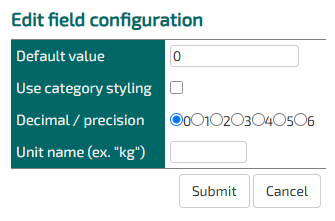
Decimal/ precision does not work on this field
Defining a unit name replaces the default unit of "%".
Developer info
- FeltTypeID: 12
- SQL datatype: DECIMAL(10,4)
- Class name: FieldNumberDecimalPercent
Yes/No
Check box. Yes/No. The values can be shown with other words or icons
Properties
- Type: Basic
- Groupable: Yes
- Show in lists: Yes
- Searchable: Yes
- Requires configuration: No
User interface
Field in show mode

Field in edit mode

Configuration
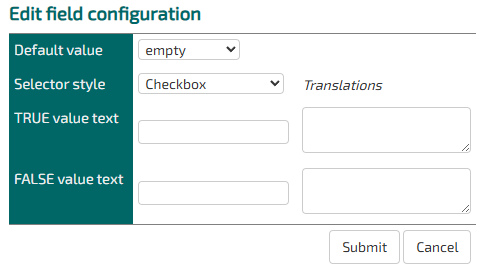
As of version 9943 adding a TRUE value text, when displaying the field as a checkbox, the value will be used as a label for the checkbox.
[Description of configs]
Developer info
- FeltTypeID: 13
- SQL datatype: TINYINT(1)
- Class name: FieldNumberBoolean
Serial
Unique serial number
Properties
- Type: Basic
- Groupable: Yes
- Show in lists: Yes
- Searchable: Yes
- Requires configuration: no
User interface
Field in show mode

Field in edit mode

Configuration
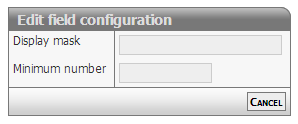
[Description of configs]
Developer info
- FeltTypeID: 16
- SQL datatype: INT(11)
- Class name: FieldSerial
Response
Interval in questionnaire
Properties
- Type: Basic
- Groupable: No
- Show in lists: Yes
- Searchable: Yes
- Requires configuration: [Yes/No]
User interface
Field in show mode

Field in edit mode

Configuration

[Description of configs]
Developer info
- FeltTypeID: 17
- SQL datatype: INT(11)
- Class name: FieldNumberIntegerResponse
Enumeration
Named numbers ex. Grades
Properties
- Type: Basic
- Groupable: Yes
- Show in lists: Yes
- Searchable: Yes
- Requires configuration: Yes
User interface
Field in show mode
[INSERT IMAGE]
Field in edit mode
[INSERT IMAGE]
Configuration
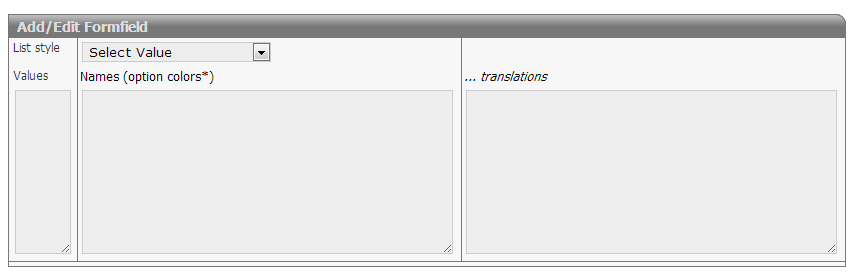
Required:
- Values must be integers
- There should be one name for each value
Options:
- Options van be colored using the # syntax
 Option 1 #red
 Option 2 #blue
 ...
- Translations should be prefixed only once with the language qualifier
 en:Option 1
 Option 2
 Option 3
 ge:Wahl 1
 Wahl 2
 Wahl 3
Developer info
- FeltTypeID: 18
- SQL datatype: INT(11)
- Class name: FieldNumberIntegerEnumeration
Symbol
Use icons as status flow and categories
Properties
- Type: Basic
- Groupable: Yes
- Show in lists: Yes
- Searchable: Yes
- Requires configuration: Yes
User interface
Field in show mode

Field in edit mode

Configuration
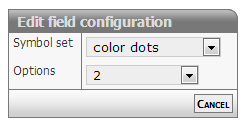
[Description of configs]
Developer info
- FeltTypeID: 19
- SQL datatype: INT(11)
- Class name: FieldNumberIntegerGlyph
Date
Date with calendar look-up
Properties
- Type: Basic
- Groupable: Yes
- Show in lists: Yes
- Searchable: Yes
- Requires configuration: No
User interface
Field in show mode

Field in edit mode

Configuration
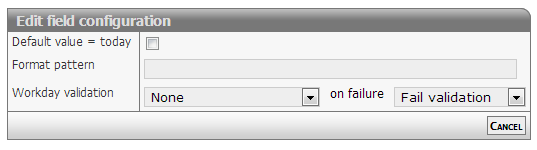
Show mode
The date will be formatted as defined in format option.
Default formatting is: dd/mm/yyyy
Edit mode
The date field will display a textbox. On activating the field a date selector will popup below the field.
Normal input format is: dd/mm/yyyy
The values for dd and mm can be either 1 or two digits - examples
- 1/12/2013 or 01/12/2013
- 31/1/2013 or 31/01/2013
The separator method is also free: "/" or "-" will do
Relative date
The date output can be changed to output the number of dates between the stored date and "now".
To do this input two colors, separated by a space, in the formatting config.
eg. red green.
This will change the list-output of the field to be a number of days.
If the number is negative, the date is in the past, if it is positive the date is in the future.
The two colors chosen will be be added as text-colors.
Other options
The date field can be set to strict or loose date parsing:
- Strict: Only the correct date format supplied by the date selector dd/mm/yyyy
- Loose: Interpretation of all values
- 31/12 > 31/12/[this year]
- 311213 > 31/12/2013
- 30 > [30 days from now]
- -7 > [7 days ago from now]
The loose option is activated by setting the configuration (policy): doSmartDateInput
Styling relative dates
As of version 11476.
The relative date output has the class relativeDate and depending on wether the date is before or after now, it has the class before or after.
To spice up the style of this output, you can add this snippit to your stylesheet.
.relativeDate.after {
    color: #096f58 !important;
    background: #7efbb7;
    padding: 0px 5px;
    border-radius: 3px;
}

.relativeDate.before {
    color: #a7175f !important;
    background: #ffc9d3;
    padding: 0px 5px;
    border-radius: 3px;
}
To limit the styling to a singe entity, add the style in the headers and scripts for that entity.
Developer info
- FeltTypeID: 20
- SQL datatype: DATE
- Class name: FieldTimeDate
Time
Selector for point in time
Properties
- Type: Basic
- Groupable: No
- Show in lists: Yes
- Searchable: Yes
- Requires configuration: No
User interface
Field in show mode

Field in edit mode

Configuration

[Description of configs]
Developer info
- FeltTypeID: 21
- SQL datatype: TIME
- Class name: FieldTimeTime
Datetime
Date with calendar/time look-up
Properties
- Type: Basic
- Groupable: Yes
- Show in lists: Yes
- Searchable: Yes
- Requires configuration: No
User interface
Field in show mode

Field in edit mode
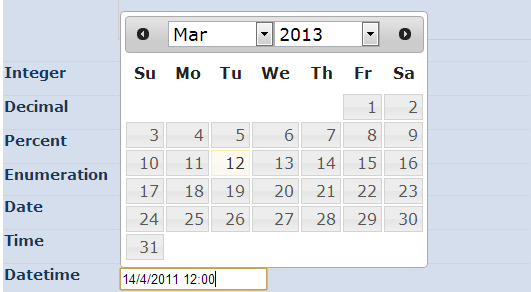
Configuration
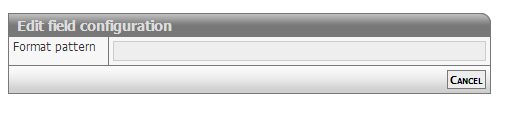
[Description of configs]
Developer info
- FeltTypeID: 22
- SQL datatype: DATETIME
- Class name: FieldTimeDatetime
Month
Choice of month, including translation
Properties
- Type: Basic
- Groupable: Yes
- Show in lists: Yes
- Searchable: Yes
- Requires configuration: No
User interface
Field in show mode

Field in edit mode

Configuration
No configuration required for this field type
Developer info
- FeltTypeID: 24
- SQL datatype: INT(11)
- Class name: FieldTimePartMonth
Year
Choice of year
Properties
- Type: Basic
- Groupable: Yes
- Show in lists: Yes
- Searchable: Yes
- Requires configuration: No
User interface
Field in show mode

Field in edit mode

Configuration
No configuration required for this field type
Developer info
- FeltTypeID: 25
- SQL datatype: INT(11)
- Class name: FieldTimePartYear
Text
A single line of a text (ex. Name).
The text can't be longer than 255 characters.
Properties
- Type: Basic
- Groupable: No
- Show in lists: Yes
- Searchable: Yes
- Requires configuration: No
User interface
Field in show mode

Field in edit mode

Configuration

[Description of configs]
Developer info
- FeltTypeID: 30
- SQL datatype: VARCHAR(255)
- Class name: FieldText
Text multiline
Multiple lines of text (ex. Adresses)
Properties
- Type: Basic
- Groupable: No
- Show in lists: Yes
- Searchable: Yes
- Requires configuration: No
User interface
Field in show mode
[INSERT IMAGE]
Field in edit mode
[INSERT IMAGE]
Configuration
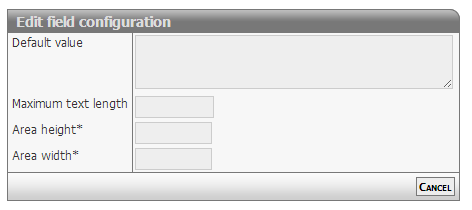
[Description of configs]
Developer info
- FeltTypeID: 31
- SQL datatype: TEXT
- Class name: FieldTextMemo
Notepad
WYSIWYG Editor shown in the interface
Properties
- Type: Basic
- Groupable: No
- Show in lists: Yes
- Searchable: Yes
- Requires configuration: No
User interface
Field in show mode

Field in edit mode
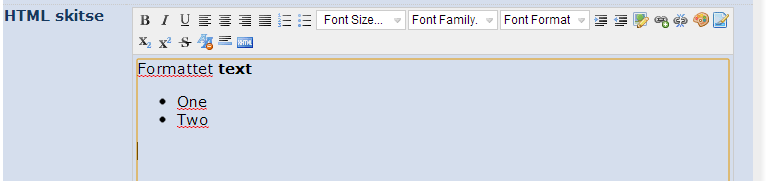
Configuration
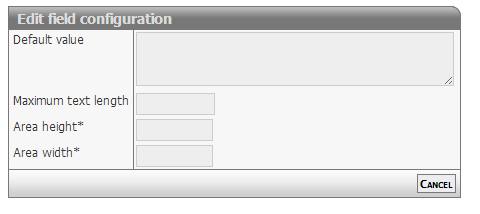
[Description of configs]
Developer info
- FeltTypeID: 32
- SQL datatype: TEXT
- Class name: FieldTextMemoEditor
Hierachy/tree
Hierarchy of values
Properties
- Type: Basic
- Groupable: Yes
- Show in lists: Yes
- Searchable: Yes
- Requires configuration: Yes
User interface
Field in show mode

Field in edit mode

Configuration
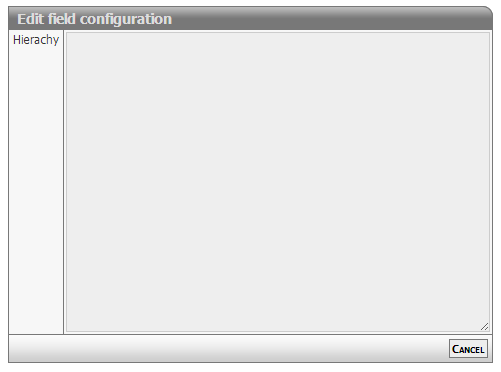
[Description of configs]
Developer info
- FeltTypeID: 33
- SQL datatype: VARCHAR(255)
- Class name: FieldTextHieraki
User email-adress
Properties
- Type: Basic
- Groupable: No
- Show in lists: Yes
- Searchable: Yes
- Requires configuration: No
User interface
Field in show mode

Field in edit mode

Configuration
No configuration required for this field type
To make the field enforce that the input is an actual email, add the following regex as validation.
^[a-zA-Z0-9._%+-]+@[a-zA-Z0-9.-]+\.[a-zA-Z]{2,}$Developer info
- FeltTypeID: 34
- SQL datatype: VARCHAR(80)
- Class name: FieldTextEmail
Website (URL)
Stores an internet address.
Properties
- Type: Basic
- Groupable: No
- Show in lists: Yes
- Searchable: Yes
- Requires configuration: No
User interface
Field in show mode

Field in edit mode

Configuration
[INSERT IMAGE]
One configuration is available.
If Configuration1 is equal to "1", then the value will be displayed as a link in lists. The link will open in a new tab.
Developer info
- FeltTypeID: 35
- SQL datatype: TEXT
- Class name: FieldTextURL
Unique key (GUID)
Global Unique ID (GUID) for records, inserted automatically on record creation.
Properties
- Type: Basic
- Groupable: No
- Show in lists: Yes
- Searchable: Yes
- Requires configuration: No
User interface
Field in show mode
[INSERT IMAGE]
Due to its nature this field has no special editing mode.
Configuration
[INSERT IMAGE]
[Description of configs]
Developer info
- FeltTypeID: 37
- SQL datatype: VARCHAR(80)
- Class name: FieldUniqueIdentity
Text with lookup
A single line text with look-up in exciting values
Properties
- Type: Basic
- Groupable: No
- Show in lists: Yes
- Searchable: Yes
- Requires configuration: No
User interface
Field in show mode
[INSERT IMAGE]
Field in edit mode
[INSERT IMAGE]
Configuration
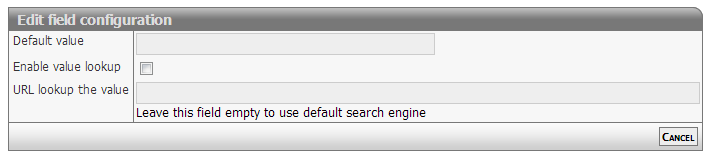
[Description of configs]
Developer info
- FeltTypeID: 38
- SQL datatype: VARCHAR(80)
- Class name: FieldTextSuggest
Phone
Phone number with the possibility for look-up
Properties
- Type: Basic
- Groupable: No
- Show in lists: Yes
- Searchable: Yes
- Requires configuration: No
User interface
Field in show mode

Field in edit mode

Configuration
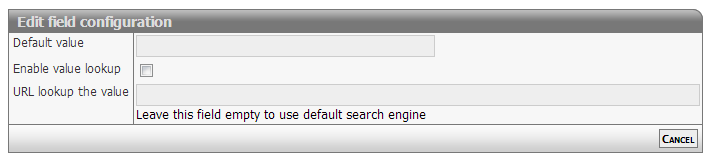
[Description of configs]
Developer info
- FeltTypeID: 40
- SQL datatype: VARCHAR(80)
- Class name: FieldTextPhone
CPR nummer
Validation of control digits with the personal identification number
Properties
- Type: Basic
- Groupable: Yes
- Show in lists: Yes
- Searchable: Yes
- Requires configuration: No
User interface
Field in show mode

Field in edit mode

Configuration

[Description of configs]
Developer info
- FeltTypeID: 41
- SQL datatype: VARCHAR(12)
- Class name: FieldTextCPR
CVR nummer
CVR number with look-up in the CVR register
Properties
- Type: Basic
- Groupable: No
- Show in lists: Yes
- Searchable: Yes
- Requires configuration: No
User interface
Field in show mode

Field in edit mode

Configuration
No configuration required for this field type
Developer info
- FeltTypeID: 42
- SQL datatype: VARCHAR(10)
- Class name: FieldTextCVR
Static content
A static message/information, that supports translation.
Properties
- Type: Basic
- Groupable: No
- Show in lists: No
- Searchable: No
User interface
Field in show mode
[INSERT IMAGE]
Due to its nature this field has no special editing mode.
Configuration
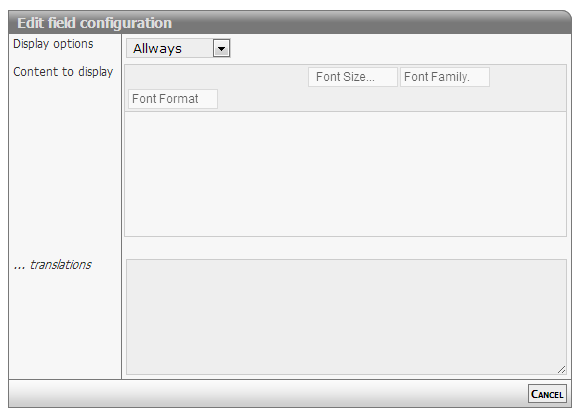
[Description f configs]
Developer info
- FeltTypeID: 600
- SQL datatype: Special
- Class name: FieldContentStatic
Static button
Button with functionality
Properties
- Type: Basic
- Groupable: No
- Show in lists: Yes
- Searchable: No
User interface
Field in show mode
[INSERT IMAGE]
Due to its nature this field has no special editing mode.
Configuration

[Description of configs]
Developer info
- FeltTypeID: 601
- SQL datatype: N/A
- Class name: FieldContentButton
Static message
Notification on top of the page
Properties
- Type: Basic
- Groupable: No
- Show in lists: No
- Searchable: No
User interface
Field in show mode

Due to its nature this field has no special editing mode.
Configuration

[Description of configs]
Developer info
- FeltTypeID: 602
- SQL datatype: N/A
- Class name: FieldContentMessage
Static script
Execution of the code when changing other boxes
Properties
- Type: Basic
- Groupable: No
- Show in lists: No
- Searchable: No
User interface
This field is not displayed as a normal field.
Due to its nature this field has no special editing mode.
Configuration

[Description of configs]
Developer info
- FeltTypeID: 603
- SQL datatype: N/A
- Class name: FieldContentScript
Script function
Execution of javascript with value insertion into other fields
Properties
- Type: Basic
- Groupable: No
- Show in lists: No
- Searchable: No
User interface
This field is not displayed as a normal field, nor is the value of it saved and available to codeunits/sql-statements.
Due to its nature this field has no special editing mode.
Configuration
This field requires configuration before deployment.

Input
Is a list of fields, which values will be available as variables in the following function.
If a name contains "!", it will be loaded as a decimal.
So this configuration:
FIELD1 FIELD2! !FIELD3Results is this code:
let FIELD1 = getValue("FIELD1")
let FIELD2 = getDecimal("FIELD2")
let FIELD3 = getDecimal("FIELD3")
Plus all those fields will trigger a re-evaluation of this field, whenever they are updates/changed.
Code (Function)
The actual javascript that modifies the data collected from the inputs.
Is pasted into a function, so should only contain lines of code.
Must have a return statement!
Sample:
return FIELD2 * FIELD3;Output
The field to set the value of, with the return value of the final function.
The output of the function will also be the value of this field, but will not be saved, as this field is virtual and only works in the frontend.
Developer info
- FeltTypeID: 620
- SQL datatype: N/A
- Class name: FieldContentFunction
Priority
[DESCRIPTION]
Properties
- Type: Basic
- Groupable: [YES/NO]
- Show in lists: [YES/NO]
- Searchable: [YES/NO]
User interface
Field in show mode
[INSERT IMAGE]
Field in edit mode
[INSERT IMAGE]
Configuration
[INSERT IMAGE]
[Eventuel beskrivelse af configs]
Developer info
- FeltTypeID: 752
- SQL datatype: INT(11)
- Class name: FieldNumberIntegerPriority
Currency
UNDER DEVELOPMENT
[DESCRIPTION]
Properties
- Type: Basic
- Groupable: [YES/NO]
- Show in lists: [YES/NO]
- Searchable: [YES/NO]
User interface
Field in show mode
[INSERT IMAGE]
Field in edit mode
[INSERT IMAGE]
Configuration
[INSERT IMAGE]
[Eventuel beskrivelse af configs]
Developer info
- FeltTypeID: 14
- SQL datatype: DECIMAL(20,2)
- Class name: FieldNumberDecimalCurrency
Lookup
- Package name: lookup
Lookup
Look-up in local list of values
Properties
- Type: Lookup
- Groupable: Yes
- Show in lists: Yes
- Searchable: Yes
User interface
Field in show mode

Field in edit mode

Configuration
This field requires configuration before deployment.

[Description of configs]
Developer info
- FeltTypeID: 61
- SQL datatype: INT(11)
- Class name: FieldLookupListLocal
Lookup (shared)
Look-up in common list of values
Properties
- Type: Lookup
- Groupable: Yes
- Show in lists: Yes
- Searchable: Yes
User interface
Field in show mode

Field in edit mode

Configuration
This field requires configuration before deployment.
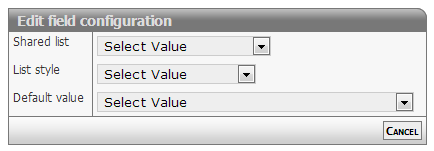
[Description of configs]
Developer info
- FeltTypeID: 60
- SQL datatype: INT(11)
- Class name: FieldLookupListShare
User
Users of the system. Those who are being added, can as an option be notified
Properties
- Type: Lookup
- Groupable: Yes
- Show in lists: Yes
- Searchable: Yes
User interface
Field in show mode

Field in edit mode

Configuration
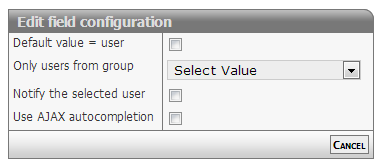
[Description of configs]
Developer info
- FeltTypeID: 63
- SQL datatype: INT(11)
- Class name: FieldLookupUser
User Exclusive
User from a certain Exclusive group (the one set on the record)
Properties
- Type: Lookup
- Groupable: Yes
- Show in lists: Yes
- Searchable: Yes
User interface
Field in show mode

Field in edit mode

Configuration
No configuration required for this field type
To set the current user as the default value, manually edit the field and input USER as the default value.
Developer info
- FeltTypeID: 163
- SQL datatype: INT(11)
- Class name: FieldLookupUserExclusive
Group
Groups in the system. Those who are being added, can as an option be notified
Properties
- Type: Lookup
- Groupable: Yes
- Show in lists: Yes
- Searchable: Yes
User interface
Field in show mode

Field in edit mode

Configuration
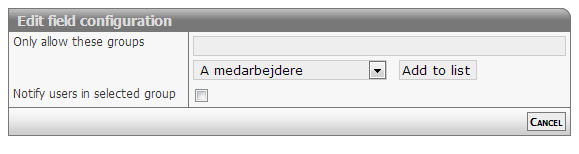
[Description of configs]
Developer info
- FeltTypeID: 64
- SQL datatype: INT(11)
- Class name: FieldLookupGroup
Dependent list (lokal)
Choice based on another local list
Properties
- Type: Lookup
- Groupable: Yes
- Show in lists: Yes
- Searchable: Yes
User interface
Field in show mode
[INSERT IMAGE]
Field in edit mode
[INSERT IMAGE]
Configuration

[Description of configs]
Developer info
- FeltTypeID: 71
- SQL datatype: INT(11)
- Class name: FieldLookupListLocalNested
Dependent category
Categories based on value
Properties
- Type: Lookup
- Groupable: Yes
- Show in lists: Yes
- Searchable: Yes
User interface
Field in show mode
[INSERT IMAGE]
Field in edit mode
[INSERT IMAGE]
Configuration

[Description of configs]
Developer info
- FeltTypeID: 72
- SQL datatype: INT(11)
- Class name: FieldCategory
List replica
Copy of another list (same options)
Properties
- Type: Lookup
- Groupable: No
- Show in lists: Yes
- Searchable: Yes
User interface
Field in show mode
[INSERT IMAGE]
Field in edit mode
[INSERT IMAGE]
Configuration
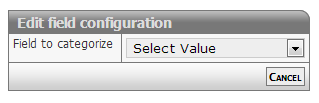
[Description of configs]
Developer info
- FeltTypeID: 73
- SQL datatype: INT(11)
- Class name: FieldLookupListLocalReplika
Lookup: Currency code
List of currency codes
Properties
- Type: Lookup
- Groupable: Yes
- Show in lists: Yes
- Searchable: Yes
User interface
Field in show mode
[INSERT IMAGE]
Field in edit mode
[INSERT IMAGE]
Configuration
No configuration required for this field type
Developer info
- FeltTypeID: 95
- SQL datatype: VARCHAR(3)
- Class name: FieldLookupStaticCurrency
Variant selector
List of types, which are controlling which other boxes are being showed
Properties
- Type: Lookup
- Groupable: Yes
- Show in lists: Yes
- Searchable: No
- Requires configuration: Yes
User interface
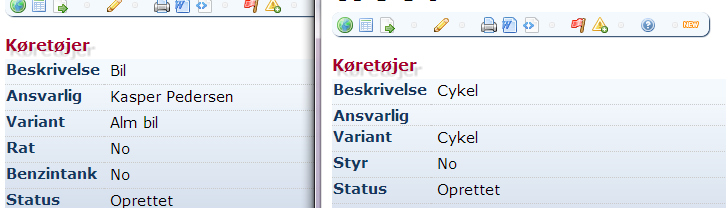
Field in show mode
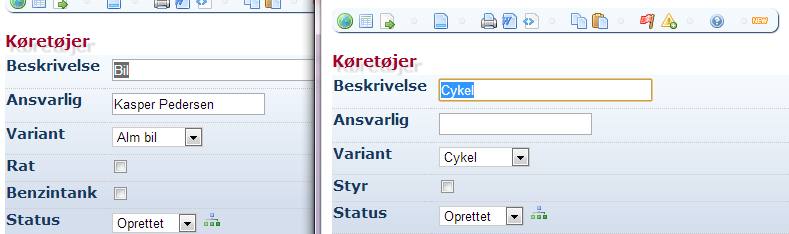
Field in edit mode
Configuration
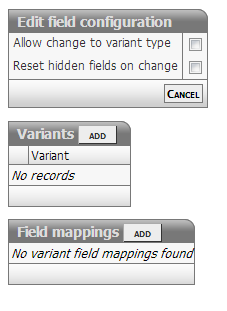
[Description of configs]
Developer info
- FeltTypeID: 300
- SQL datatype: INT(11)
- Class name: FieldVariant
Database: Opslag indtastning
Look-up of values in foreign database
Properties
- Type: Lookup
- Groupable: No
- Show in lists: Yes
- Searchable: Yes
- Requires configuration: Yes
User interface
Field in show mode
[INSERT IMAGE]
Field in edit mode
[INSERT IMAGE]
Configuration

[Description of configs]
Developer info
- FeltTypeID: 500
- SQL datatype: VARCHAR(20)
- Class name: FieldRemoteKey
Database: Opslag liste valg
Table of values from foreign database
Properties
- Type: Lookup
- Groupable: No
- Show in lists: Yes
- Searchable: Yes
- Requires configuration: Yes
User interface
Field in show mode
[INSERT IMAGE]
Field in edit mode
[INSERT IMAGE]
Configuration
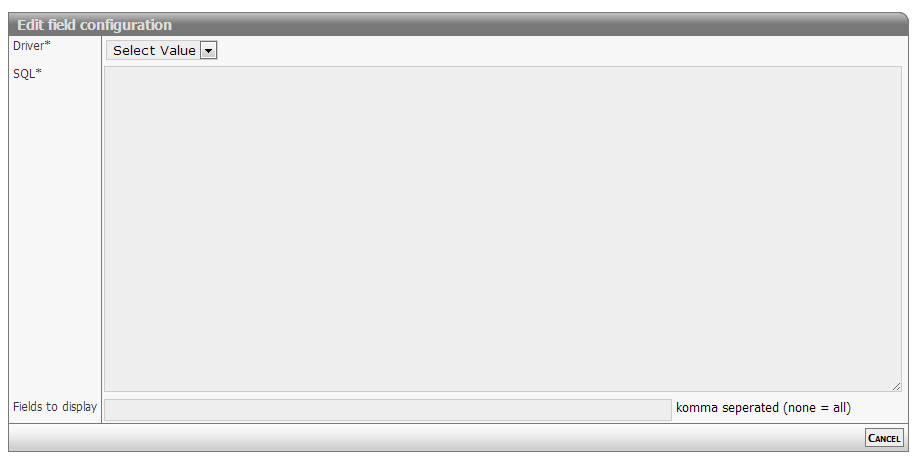
[Description of configs]
Developer info
- FeltTypeID: 501
- SQL datatype: VARCHAR(20)
- Class name: FieldRemoteKeyLookup
SQL: Subselect
Enquiry in own or foreign database
Properties
- Type: Lookup
- Groupable: No
- Show in lists: Yes
- Searchable: Yes
- Requires configuration: Yes
User interface
Field in show mode
[INSERT IMAGE]
Due to its nature this field has no special editing mode.
Configuration

Required:
- SELECT query that returns a single record with a single value in the recordset
Options:
- Restrictions (when to display the value):
- Always: Single, list and subitem mode
- Items: Single mode only (hidden in list mode)
- Lists: List mode only (hidden in single mode)
- Subitem: Lists displayed in single items (child records)
Notes for usage:
- Values are not cached or stored
- Consider activating INDEX for fields used in WHERE or JOIN clauses
Configuration example 1
Solution setup
Solution "Child items" (system name: "testchild")
* Relation field "owner" (system name: "PARENT").

Solution: "Parent items" (system name: "testparent")
* Date field "starting date" (system name: "DATO")
Business requirement
Display the starting date (system name: "DATO") from the related parent table, linked by the local field owner (system name: "PARENT").
Subselect SQL statement
SELECT DATO
FROM data_testparent
WHERE :PARENT = data_testparent.DataID
this is the shorthand version for
...
WHERE data_testchild.PARENT = data_testparent.DataID
Configuration example 2
Solution setup
Solution "Example" (system name: "example")
* Status log activated
Business requirement
Display the number of state changes for a data item
Subselect SQL statement
SELECT CONCAT( COUNT(*), ' transitions')
FROM data_example_statuslog
WHERE data_example_statuslog.DataID = :DataID
this is the shorthand version for
...
WHERE data_example_statuslog.DataID = data_example.DataID
Developer info
- FeltTypeID: 510
- SQL datatype: N/A
- Class name: FieldSubselect
Lookup: Data item
Create reference to another record. This works the same as the field "Parent reference", but creates a drop-down list of options instead of using auto-complete. Useful for when there isn't a vast amount of records to select from. This field must be used for Lookup: Data item nested to work.
Properties
- Type: Lookup
- Groupable: No
- Show in lists: Yes
- Searchable: Yes
User interface
Field in show mode
[INSERT IMAGE]
Field in edit mode
[INSERT IMAGE]
Configuration
This field requires configuration before deployment.
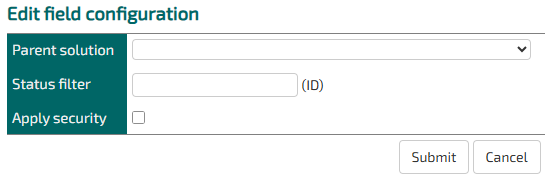
Parent solution: Choose which entity the parent record will be chosen from.
Status filter: Optionally, you can specify a StatusID of a single status in the parent entity that all the record options should have.
Apply security: If this is not checked, then records will show up in the dropdown even if the user does not have permission to read them.
Developer info
- FeltTypeID: 561
- SQL datatype: INT(11)
- Class name: FieldLookupListRecordKey
Lookup: Data item nested
Used when you want to limit the options from a regular "Lookup: Data item" field to only the ones that share a parent with this entity.
Properties
- Type: Lookup
- Groupable: No
- Show in lists: Yes
- Searchable: Yes
User interface
Field in show mode
[INSERT IMAGE]
Field in edit mode
[INSERT IMAGE]
Configuration
This field requires configuration before deployment.
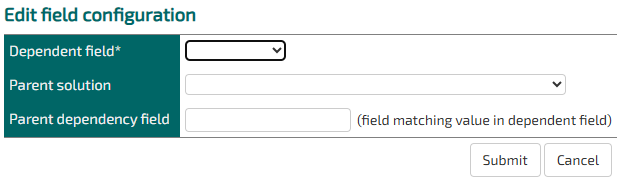
Dependent Field: The field in this entity that references the shared parent.
Parent Solution: The lookup options entity.
Parent dependency field: The field in the lookup options entity that references the shared parent.
Developer info
- FeltTypeID: 571
- SQL datatype: INT(11)
- Class name: FieldLookupListRecordKeyNested
Value copy
Showing other values based on a key
Properties
- Type: Lookup
- Groupable: No
- Show in lists: Yes
- Searchable: Yes
- Requires configuration: Yes
User interface
Field in show mode
[INSERT IMAGE]
Due to its nature this field has no special editing mode.
Configuration

[Description of configs]
Developer info
- FeltTypeID: 610
- SQL datatype: N/A
- Class name: FieldReplicate
Value copy (text)
Coping TEXT value based on key (searchable)
Properties
- Type: Lookup
- Groupable: No
- Show in lists: Yes
- Searchable: Yes
- Requires configuration: Yes
User interface
Field in show mode
[INSERT IMAGE]
Due to its nature this field has no special editing mode.
Configuration

[Description of configs]
Developer info
- FeltTypeID: 611
- SQL datatype: N/A
- Class name: FieldReplicateText
Value copy (Integer)
Coping DECIMAL value based on key (searchable)
Properties
- Type: Lookup
- Groupable: No
- Show in lists: Yes
- Searchable: Yes
- Requires configuration: Yes
User interface
Field in show mode
[INSERT IMAGE]
Due to its nature this field has no special editing mode.
Configuration
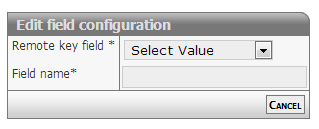
[Description of configs]
Developer info
- FeltTypeID: 612
- SQL datatype: INT(11)
- Class name: FieldReplicateInteger
Value copy (decimal)
Coping DECIMAL value based on key (searchable)
Properties
- Type: Lookup
- Groupable: No
- Show in lists: Yes
- Searchable: Yes
- Requires configuration: Yes
User interface
Field in show mode
[INSERT IMAGE]
Due to its nature this field has no special editing mode.
Configuration

[Description of configs]
Developer info
- FeltTypeID: 613
- SQL datatype: DECIMAL(20,4)
- Class name: FieldReplicateDecimal
Value copy (yes/no)
Coping Yes/No values based on key (searchable)
Properties
- Type: Lookup
- Groupable: No
- Show in lists: Yes
- Searchable: Yes
- Requires configuration: Yes
User interface
Field in show mode
[INSERT IMAGE]
Due to its nature this field has no special editing mode.
Configuration
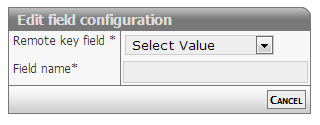
[Description of configs]
Developer info
- FeltTypeID: 614
- SQL datatype: TINYINT(1)
- Class name: FieldReplicateBoolean
Value copy (date)
Coping DATE values based on key (searchable)
Properties
- Type: Lookup
- Groupable: No
- Show in lists: Yes
- Searchable: Yes
- Requires configuration: Yes
User interface
Field in show mode
[INSERT IMAGE]
Due to its nature this field has no special editing mode.
Configuration

[Description of configs]
Developer info
- FeltTypeID: 615
- SQL datatype: DATE
- Class name: FieldReplicateDate
Value copy (cpr)
Coping CPR number based on key (searchable)
Properties
- Type: Lookup
- Groupable: No
- Show in lists: Yes
- Searchable: Yes
- Requires configuration: Yes
User interface
Field in show mode
[INSERT IMAGE]
Due to its nature this field has no special editing mode.
Configuration

[Description of configs]
Developer info
- FeltTypeID: 616
- SQL datatype: VARCHAR(20)
- Class name: FieldReplicateCPR
Dependent list replica
Copy field lookup options from another field in this solution
Properties
- Type: Lookup
- Groupable: [YES/NO]
- Show in lists: [YES/NO]
- Searchable: [YES/NO]
User interface
Field in show mode
[INSERT IMAGE]
Field in edit mode
[INSERT IMAGE]
Configuration
[INSERT IMAGE]
[Eventuel beskrivelse af configs]
Developer info
- FeltTypeID: 74
- SQL datatype: INT(11)
- Class name: FieldLookupListLocalNestedReplika
Lookup AJAX
- Package name: ajax
Lookup: Postnr / by
Autofilling of danish postal number and city
Properties
- Type: Lookup AJAX
- Groupable: Yes
- Show in lists: Yes
- Searchable: Yes
User interface
Field in show mode

Field in edit mode

Configuration
No configuration required for this field type
Developer info
- FeltTypeID: 90
- SQL datatype: INT(11)
- Class name: FieldAjaxPostalcode
Lookup: UNSPSC
Autofilling of the product category system of UN
Properties
- Type: Lookup AJAX
- Groupable: Yes
- Show in lists: Yes
- Searchable: Yes
User interface
Field in show mode

Field in edit mode

Configuration
No configuration required for this field type
Developer info
- FeltTypeID: 91
- SQL datatype: INT(11)
- Class name: FieldAjaxUNSPSC
Lookup: NACE code
Autofilling of NACE business codes
Properties
- Type: Lookup AJAX
- Groupable: Yes
- Show in lists: Yes
- Searchable: Yes
User interface
Field in show mode

Field in edit mode

Configuration
No configuration required for this field type
Developer info
- FeltTypeID: 92
- SQL datatype: INT(11)
- Class name: FieldAjaxNACE
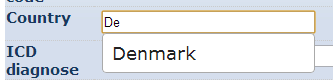
Lookup: Country
Autofilling of country
Properties
- Type: Lookup AJAX
- Groupable: Yes
- Show in lists: Yes
- Searchable: Yes
User interface
Field in show mode

Field in edit mode
Configuration
No configuration required for this field type
Developer info
- FeltTypeID: 93
- SQL datatype: INT(11)
- Class name: FieldAjaxCountry
Lookup: ICD diagnose
Autofilling of ICD diagnosis code
Properties
- Type: Lookup AJAX
- Groupable: Yes
- Show in lists: Yes
- Searchable: Yes
User interface
Field in show mode

Field in edit mode

Configuration
No configuration required for this field type
Developer info
- FeltTypeID: 94
- SQL datatype: VARCHAR(20)
- Class name: FieldAjaxDiagnose
SKS Undersøgelse
Dynamic lookup of values from SKS Undersøgelse
Properties
- Type: Lookup AJAX
- Groupable: No
- Show in lists: Yes
- Searchable: Yes
User interface
Field in show mode

Field in edit mode

Configuration

[Description of configs]
Developer info
- FeltTypeID: 661
- SQL datatype: VARCHAR(20)
- Class name: FieldAjaxSksUndersoegelse
SKS Diagnose
Autofilling/Dynamic lookup of SKS Diagnose
Properties
- Type: Lookup AJAX
- Groupable: No
- Show in lists: Yes
- Searchable: Yes
User interface
Field in show mode
[INSERT IMAGE]
Field in edit mode

Configuration
[Description of configs]
Developer info
- FeltTypeID: 662
- SQL datatype: VARCHAR(20)
- Class name: FieldAjaxSksDiagnose
SKS Operation
Dynamic lookup of values from SKS Operation
Properties
- Type: Lookup AJAX
- Groupable: No
- Show in lists: Yes
- Searchable: Yes
User interface
Field in show mode

Field in edit mode

Configuration

[Description of configs]
Developer info
- FeltTypeID: 663
- SQL datatype: VARCHAR(20)
- Class name: FieldAjaxSksOperation
SKS Behandling
Dynamic lookup of values from SKS Behandling
Properties
- Type: Lookup AJAX
- Groupable: No
- Show in lists: Yes
- Searchable: Yes
User interface
Field in show mode

Field in edit mode

Configuration
[Description of configs]
Developer info
- FeltTypeID: 664
- SQL datatype: VARCHAR(20)
- Class name: FieldAjaxSksBehandling
SKS ATC
Dynamic lookup of values from SKS ATC
Properties
- Type: Lookup AJAX
- Groupable: Yes
- Show in lists: Yes
- Searchable: Yes
User interface
Field in show mode
[INSERT IMAGE]
Field in edit mode

Configuration

[Description of configs]
Developer info
- FeltTypeID: 665
- SQL datatype: VARCHAR(20)
- Class name: FieldAjaxSksATC
SKS Ulykke
Dynamic lookup of values from SKS Ulykke
Properties
- Type: Lookup AJAX
- Groupable: No
- Show in lists: Yes
- Searchable: Yes
User interface
Field in show mode

Field in edit mode

Configuration
[INSERT IMAGE]
[Description of configs]
Developer info
- FeltTypeID: 666
- SQL datatype: VARCHAR(20)
- Class name: FieldAjaxSksUlykke
SKS Afdeling
Dynamic lookup of values from SKS Afdeling
Properties
- Type: Lookup AJAX
- Groupable: No
- Show in lists: Yes
- Searchable: Yes
User interface
Field in show mode

Field in edit mode

Configuration

[Description of configs]
Developer info
- FeltTypeID: 667
- SQL datatype: VARCHAR(20)
- Class name: FieldAjaxSksSygehusafdeling
Files
- Package name: files
Documents
Upload / download of files including versioning
Note that a class is added to the page while uploading ressources: uploadInProgress
In case you want to prevent the user presing update, the buttons can be hided with this CSS
.uploadInProgress .tsUpdateButtons { display: none; }Properties
- Type: Files
- Groupable: No
- Show in lists: Yes
- Searchable: Yes
User interface
Field in show mode

Field in edit mode

Reacting to uploads
The platform sends out custom triggers on upload start, finish and failure.
To react to these, use the following example
$(".custom-file-input").on("TS_UploadStart", () => {
  // React
})
$(".custom-file-input").on("TS_UploadFinished", () => {
  // React
})
$(".custom-file-input").on("TS_UploadFailed", () => {
  // React
})
Configuration
[INSERT IMAGE]
[Description of configs]
Developer info
- FeltTypeID: 50
- SQL datatype: INT(11)
- Class name: FieldFiles
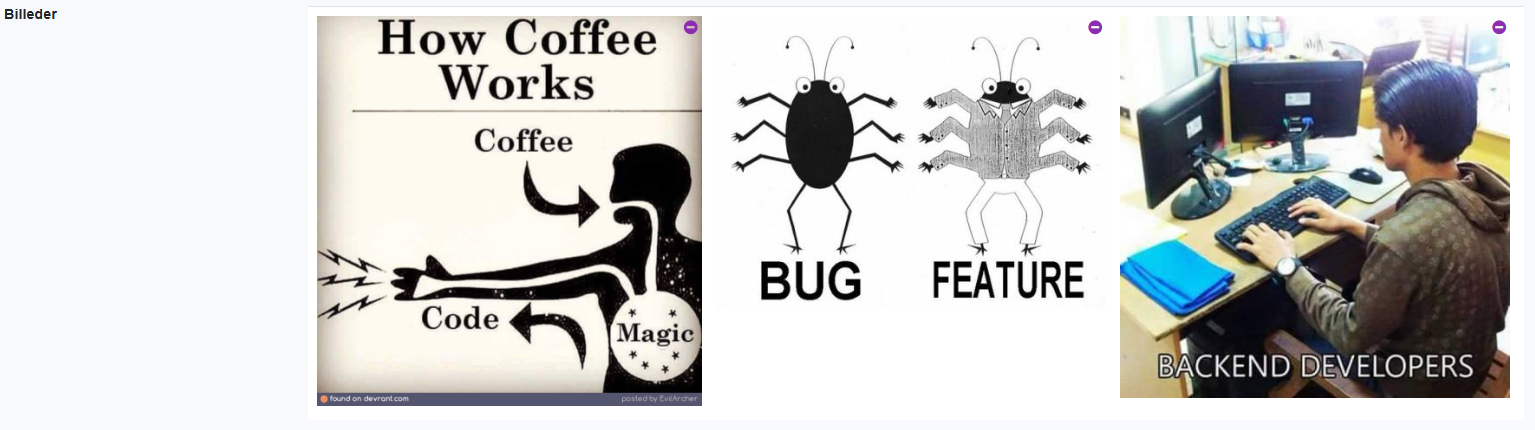
Pictures
Photo gallery with thumbnail index and optional lightbox to view full size images
Properties
- Type: Files
- Groupable: No
- Show in lists: Yes
- Searchable: No
User interface
Field in show mode
Field in edit mode
Configuration
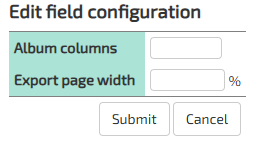
Config1: Number of columns, default is 4
Config2: Export width, default is 40%
Config3: Enable lightbox, default is 0 (off)
Developer info
- FeltTypeID: 51
- SQL datatype: INT(11)
- Class name: FieldFilesPictures
Videos
Video gallery with thumbnails and player.
The video-player only works when Policy filesystemStorageActive.
To enable down-scaling to 720p and 1080p, the storage has to be on AWS S3, and the Encoding Lambda-function has to be enabled.
As of version 11572 the thumbnail engine was changed to FFmpeg.
Servers updated to this version, or newer, have to manually download the appropriate FFmpeg jar and place it in the tomcat-libs folder.
The version of FFmpeg downloaded must be 7.1-1.5.11.
As of version 12587, the version should be 6.0-1.5.9.
Servers installed via the ts-script, after jan 23. 2026 will already have this jar file as part of the default setup.
Properties
- Type: Files
- Groupable: No
- Show in lists: No
- Searchable: No
User interface
Field in show mode

Field in edit mode

Configuration

[Description of configs]
Config1: Number of columns, default is 3
Config2: Not used
Config3: Not used
Developer info
- FeltTypeID: 52
- SQL datatype: INT(11)
- Class name: FieldFilesVideos
Document builder
Build document based on solution file template
Properties
- Type: Files
- Groupable: No
- Show in lists: No
- Searchable: No
User interface
Field in show mode
[INSERT IMAGE]
Field in edit mode
[INSERT IMAGE]
Configuration

[Description of configs]
Developer info
- FeltTypeID: 53
- SQL datatype: INT(11)
- Class name: FieldFilesGenerate
Filesystem files
Download of local files on the intranet
Properties
- Type: Files
- Groupable: No
- Show in lists: No
- Searchable: No
User interface
Field in show mode

Field in edit mode
[INSERT IMAGE]
Configuration

[Description of configs]
Developer info
- FeltTypeID: 55
- SQL datatype: Special
- Class name: FieldFilesShared
Documents with Signing
Upload / download of files including versioning and DocuSign integration, with upload-action and sign-status.
Properties
- Type: Files
- Groupable: No
- Show in lists: Yes
- Searchable: Yes
User interface
Field in show mode

Field in edit mode

Configuration
[INSERT IMAGE]
The DocuSign Integration should be configured, otherwise this field is the same as Files: Documents
Developer info
- FeltTypeID: 57
- SQL datatype: INT(11)
- Class name: FieldFilesSigning
Value copy (files)
[DESCRIPTION]
Properties
- Type: Files
- Groupable: [YES/NO]
- Show in lists: [YES/NO]
- Searchable: [YES/NO]
User interface
Field in show mode
[INSERT IMAGE]
Field in edit mode
[INSERT IMAGE]
Configuration
[INSERT IMAGE]
[Eventuel beskrivelse af configs]
Developer info
- FeltTypeID: 617
- SQL datatype: N/A
- Class name: FieldReplicateFiles
Filesystem with FTP
[DESCRIPTION]
Properties
- Type: Files
- Groupable: [YES/NO]
- Show in lists: [YES/NO]
- Searchable: [YES/NO]
User interface
Field in show mode
[INSERT IMAGE]
Field in edit mode
[INSERT IMAGE]
Configuration
[INSERT IMAGE]
[Eventuel beskrivelse af configs]
Developer info
- FeltTypeID: 56
- SQL datatype: N/A
- Class name: FieldFilesSharedFtp
Documents to append
[DESCRIPTION]
Properties
- Type: Files
- Groupable: [YES/NO]
- Show in lists: [YES/NO]
- Searchable: [YES/NO]
User interface
Field in show mode
[INSERT IMAGE]
Field in edit mode
[INSERT IMAGE]
Configuration
[INSERT IMAGE]
[Eventuel beskrivelse af configs]
Developer info
- FeltTypeID: 2150
- SQL datatype: INT(11)
- Class name: FieldFilesAssembler
Build remote files reference list
[DESCRIPTION]
Properties
- Type: Files
- Groupable: [YES/NO]
- Show in lists: [YES/NO]
- Searchable: [YES/NO]
User interface
Field in show mode
[INSERT IMAGE]
Field in edit mode
[INSERT IMAGE]
Configuration
[INSERT IMAGE]
[Eventuel beskrivelse af configs]
Developer info
- FeltTypeID: 2152
- SQL datatype: N/A
- Class name: FieldFilesReferenceListBuilder
Build document from structure
[DESCRIPTION]
Properties
- Type: Files
- Groupable: [YES/NO]
- Show in lists: [YES/NO]
- Searchable: [YES/NO]
User interface
Field in show mode
[INSERT IMAGE]
Field in edit mode
[INSERT IMAGE]
Configuration
[INSERT IMAGE]
[Eventuel beskrivelse af configs]
Developer info
- FeltTypeID: 2153
- SQL datatype: N/A
- Class name: FieldFilesStructureAssembler
Append remote files
[DESCRIPTION]
Properties
- Type: Files
- Groupable: [YES/NO]
- Show in lists: [YES/NO]
- Searchable: [YES/NO]
User interface
Field in show mode
[INSERT IMAGE]
Field in edit mode
[INSERT IMAGE]
Configuration
[INSERT IMAGE]
[Eventuel beskrivelse af configs]
Developer info
- FeltTypeID: 2151
- SQL datatype: N/A
- Class name: FieldLookupRecordAssembler
Tabular data
- Package name: table
Table
Table with a range of subfield
Properties
- Type: Tabular data
- Groupable: NO
- Show in lists: Yes
- Searchable: Yes
- Requires configuration: Yes
User interface
Field in show mode

Field in edit mode

Configuration

[Description of configs]
Developer info
- FeltTypeID: 100
- SQL datatype: INT(11)
- Class name: FieldTable
Tasklist
Tasklist with export to vTodo
Properties
- Type: Tabular data
- Groupable: No
- Show in lists: Yes
- Searchable: Yes
- Requires configuration: [Yes/No]
User interface
Field in show mode

Field in edit mode

Configuration

[Description of configs]
Developer info
- FeltTypeID: 110
- SQL datatype: INT(11)
- Class name: FieldTask
Contact list
Contact list with export to vCard
Properties
- Type: Tabular data
- Groupable: No
- Show in lists: Yes
- Searchable: Yes
User interface
Field in show mode

Field in edit mode

Configuration

[Description of configs]
Developer info
- FeltTypeID: 130
- SQL datatype: INT(11)
- Class name: FieldContact
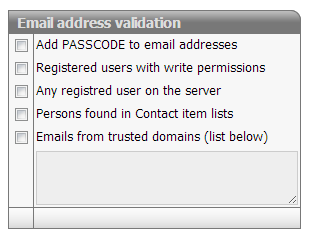
Mailbox
Inbox for each data item with many security options. Please refer to advanced configuration.
Properties
- Type: Tabular data
- Groupable: No
- Show in lists: Yes
- Searchable: Yes
User interface
Field in show mode
[INSERT IMAGE]
Due to its nature this field has no special editing mode.
Configuration
[Eventuel beskrivelse af configs]
Developer info
- FeltTypeID: 160
- SQL datatype: DATETIME
- Class name: FieldMail
Parent/child
- Package name: relation
Parent reference
This field creates a reference to another record. Useful in hierarchical data structures. This field allows the parent to implement List of Children type fields. In edit mode, this field displays as a black text box with text autocomplete, which means that the user must know at least some of the resume name of the parent they're looking for. Most times a simple drop down of options is preferred, in which case the field Lookup: Data item should be used. In most cases it is functionally identical to this field.
Properties
- Type: Parent/child
- Groupable: No
- Show in lists: Yes
- Searchable: Yes
- Requires configuration: Yes
User interface
Field in show mode

Field in edit mode

Configuration
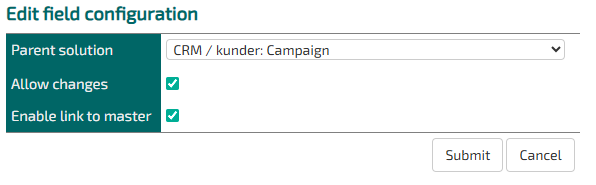
Parent solution: Specify which entity the parent record belongs to.
Allow changes: If this is not checked, the parent cannot be changed later.
Enable link to master: If this is checked, a button will appear that links directly to the parent. Usually nice to have.
Developer info
- FeltTypeID: 201
- SQL datatype: INT(11)
- Class name: FieldSubformMaster
When writing javascript that reacts to changes in this field type use the following code, instead of onchange.
This snippit wil react as soon as an option is selected instead of when the user exits the field
$("#DATA_SELSKAB").on("autocompleteclose", () => {
    setTimeout(() => {
        // Do stuff
    }, 50)
})List of children
This displays a list of all children that refer to this via a specific field. This field can be either of type Parent reference or Lookup: Data item
Properties
- Type: Parent/child
- Groupable: No
- Show in lists: Yes
- Searchable: Yes
- Requires configuration: Yes
User interface
Field in show mode

Field in edit mode
[INSERT IMAGE]
Configuration

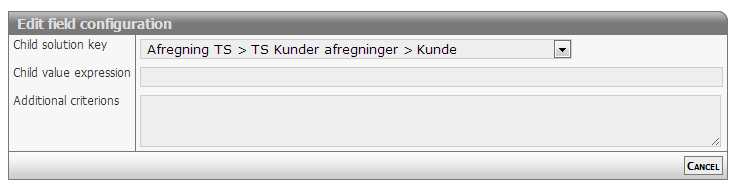
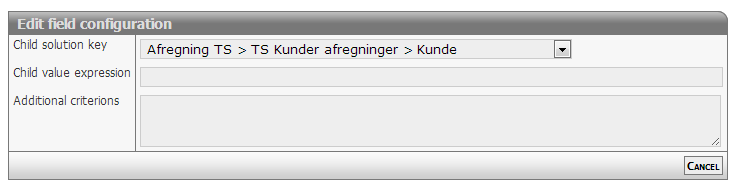
Child solution key: Choose which reference field in which entity that the List of Children field should operate from.
Parameters / sortorders: Normal TS url query. Remember to start with questionmark. Example:
?QUERY_FIELD_1=StatusID&QUERY_OPERATOR_1=1&QUERY_VALUE_1=24&QUERY_FIELD_2=StatusID&QUERY_OPERATOR_2=1&QUERY_VALUE_2=97
Read as "Section" > "Child Entity" > "Child's reference field"
Developer info
- FeltTypeID: 200
- SQL datatype: INT(11)
- Class name: FieldSubformList
List of children (status filter)
Filtered selection of subitems
Properties
- Type: Parent/child
- Groupable: No
- Show in lists: Yes
- Searchable: Yes
- Requires configuration: Yes
User interface
Field in show mode
[INSERT IMAGE]
Field in edit mode
[INSERT IMAGE]
Configuration
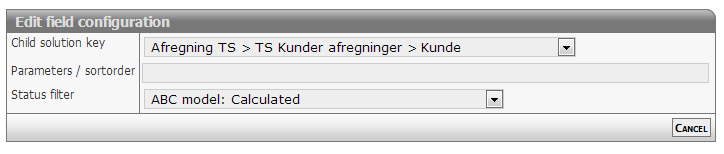
[Description of configs]
Developer info
- FeltTypeID: 222
- SQL datatype: N/A
- Class name: FieldSubformListStatus
List of children (select fields)
Filtered selection of fields including sortorder
Properties
- Type: Parent/child
- Groupable: No
- Show in lists: Yes
- Searchable: Yes
- Requires configuration: Yes
User interface
Field in show mode
[INSERT IMAGE]
Field in edit mode
[INSERT IMAGE]
Configuration
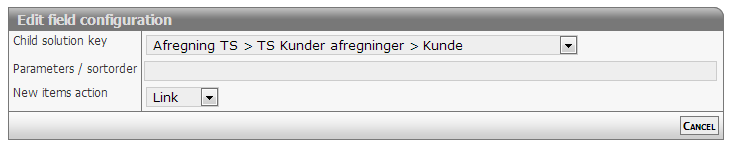
[Description of configs]
Developer info
- FeltTypeID: 223
- SQL datatype: INT(11)
- Class name: FieldSubformListFieldSelection
List of children (type filter)
For use with 'Children type selector'
Properties
- Type: Parent/child
- Groupable: No
- Show in lists: Yes
- Searchable: Yes
- Requires configuration: Yes
User interface
Field in show mode
[INSERT IMAGE]
Field in edit mode
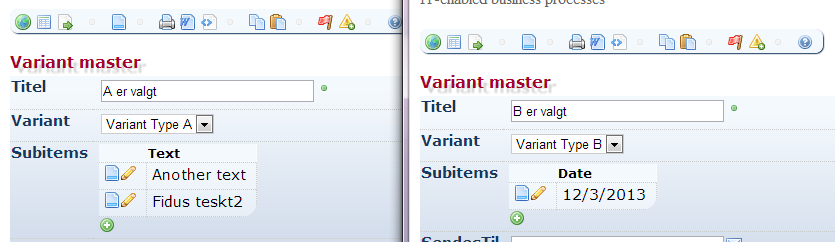
Configuration
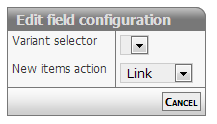
[Eventuel beskrivelse af configs]
Developer info
- FeltTypeID: 220
- SQL datatype: INT(11)
- Class name: FieldSubformListVariant
Children type selector (type filer)
For use with 'List of children (type)'
Properties
- Type: Parent/child
- Groupable: No
- Show in lists: Yes
- Searchable: Yes
- Requires configuration: No
User interface
Field in show mode
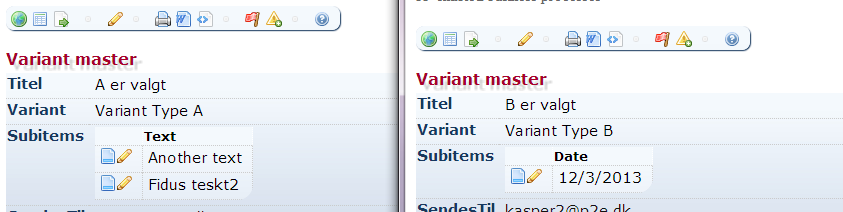
Field in edit mode
[INSERT IMAGE]
Configuration
No configuration required for this field type
Developer info
- FeltTypeID: 221
- SQL datatype: VARCHAR(80)
- Class name: FieldSubformVariant
Calc children: Sum
Sum of values in underplaced data
Properties
- Type: Parent/child
- Groupable: No
- Show in lists: Yes
- Searchable: Yes
- Requires configuration: Yes
User interface
Field in show mode
[INSERT IMAGE]
Due to its nature this field has no special editing mode.
Configuration

Required:
- Child value expression refers to a field system name. Example "HOURS"
Options:
- Additional criterions: Additional SQL statement parameter. Example "PROJECT <> 10029"
Developer info
- FeltTypeID: 210
- SQL datatype: N/A
- Class name: FieldSubformLinesSum
Calc children: Count
Sum of elements in underplaced data
Properties
- Type: Parent/child
- Groupable: No
- Show in lists: Yes
- Searchable: Yes
- Requires configuration: [Yes/No]
User interface
Field in show mode
[INSERT IMAGE]
Due to its nature this field has no special editing mode.
Configuration

[Description of configs]
Developer info
- FeltTypeID: 211
- SQL datatype: N/A
- Class name: FieldSubformLinesCount
Calc children: Unique
[DESCRIPTION]
Properties
- Type: Parent/child
- Groupable: No
- Show in lists: Yes
- Searchable: Yes
- Requires configuration: Yes
User interface
Field in show mode
[INSERT IMAGE]
Due to its nature this field has no special editing mode.
Configuration

[Description of configs]
Developer info
- FeltTypeID: 212
- SQL datatype: N/A
- Class name: FieldSubformLinesDistinct
Calc children: Minimum
Minimum value in underplaced data
Properties
- Type: Parent/child
- Groupable: No
- Show in lists: Yes
- Searchable: Yes
- Requires configuration: Yes
User interface
Field in show mode
[INSERT IMAGE]
Due to its nature this field has no special editing mode.
Configuration
[Description of configs]
Developer info
- FeltTypeID: 213
- SQL datatype: N/A
- Class name: FieldSubformLinesMin
Calc children: Average
Average value in underplaced data
Properties
- Type: Parent/Child
- Groupable: No
- Show in lists: Yes
- Searchable: Yes
- Requires configuration: Yes
User interface
Field in show mode
[INSERT IMAGE]
Due to its nature this field has no special editing mode.
Configuration
[Description of configs]
Developer info
- FeltTypeID: 215
- SQL datatype: Special
- Class name: FieldSubformLinesAverage
Calc children: Maximum
Maximum value in underplaced data
Properties
- Type: Parent/child
- Groupable: [Yes/No]
- Show in lists: [Yes/No]
- Searchable: [Yes/No]
- Requires configuration: [Yes/No]
User interface
Field in show mode
[INSERT IMAGE]
Due to its nature this field has no special editing mode.
Configuration

[Description of configs]
Developer info
- FeltTypeID: 214
- SQL datatype: N/A
- Class name: FieldSubformLinesMax
Many to many relation
[DESCRIPTION]
Properties
- Type: Parent/child
- Groupable: [YES/NO]
- Show in lists: [YES/NO]
- Searchable: [YES/NO]
User interface
Field in show mode
[INSERT IMAGE]
Field in edit mode
[INSERT IMAGE]
Configuration
[INSERT IMAGE]
[Eventuel beskrivelse af configs]
Developer info
- FeltTypeID: 240
- SQL datatype: N/A
- Class name: FieldManyToMany
Parent reference [shared]
[DESCRIPTION]
Properties
- Type: Parent/child
- Groupable: [YES/NO]
- Show in lists: [YES/NO]
- Searchable: [YES/NO]
User interface
Field in show mode
[INSERT IMAGE]
Field in edit mode
[INSERT IMAGE]
Configuration
[INSERT IMAGE]
[Eventuel beskrivelse af configs]
Developer info
- FeltTypeID: 250
- SQL datatype: INT(11)
- Class name: FieldSharedParentRecord
List of children (grid-editor)
[DESCRIPTION]
Properties
- Type: Parent/child
- Groupable: [YES/NO]
- Show in lists: [YES/NO]
- Searchable: [YES/NO]
User interface
Field in show mode
[INSERT IMAGE]
Field in edit mode
[INSERT IMAGE]
Configuration
[INSERT IMAGE]
[Eventuel beskrivelse af configs]
Developer info
- FeltTypeID: 203
- SQL datatype: INT(11)
- Class name: FieldSubformListEdit
List of children [shared]
[DESCRIPTION]
Properties
- Type: Parent/child
- Groupable: [YES/NO]
- Show in lists: [YES/NO]
- Searchable: [YES/NO]
User interface
Field in show mode
[INSERT IMAGE]
Field in edit mode
[INSERT IMAGE]
Configuration
[INSERT IMAGE]
[Eventuel beskrivelse af configs]
Developer info
- FeltTypeID: 251
- SQL datatype: INT(11)
- Class name: FieldSharedSubform
Complex
- Package name: special
Checklist lookup
Number of categories
Properties
- Type: Complex
- Groupable: Yes
- Show in lists: Yes
- Searchable: Yes
User interface
Field in show mode

Field in edit mode

Configuration

[Description of configs]
Developer info
- FeltTypeID: 62
- SQL datatype: INT(11)
- Class name: FieldMultiSelect
Signature
Digital signature or approval
Properties
- Type: Complex
- Groupable: No
- Show in lists: Yes
- Searchable: Yes
- Requires configuration: [Yes/no]
User interface
Field in show mode

Field in edit mode

Configuration

[Description of configs]
Developer info
- FeltTypeID: 65
- SQL datatype: INT(11)
- Class name: FieldSignature
Calc: Formula
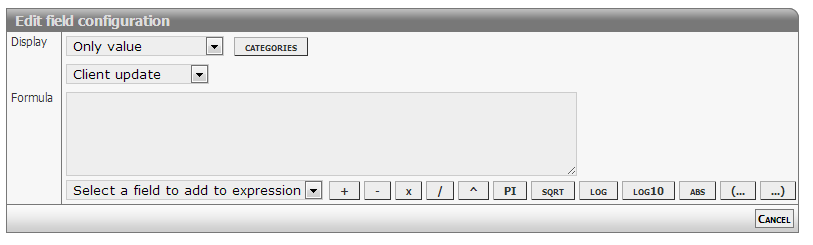
Formula based on other fields
Properties
- Type: Complex
- Groupable: No
- Show in lists: Yes
- Searchable: Yes
- Requires configuration: Yes
User interface
Field in show mode

Due to its nature this field has no special editing mode.
Configuration
[Description of configs]
Complex formulas
Calculated formulas syntax follows is compliant with JavaScript syntax.
Common operators
- Add: +
- Subtract: -
- Division: /
- Multiply: *
- Modulus: %
- Precedence: ( ... )
Mathematical functions
- Absolute: abs
- Minimum: max
- Maximum: min
- Power: pow
- Square root: sqrt
- Logarithms: log log10 exp
- Rounding: ceil floor round
Mathematical constants
- Pi: pi
- E: e
Support for statements
This feature is enabled starting from version 2366.
IF statement
Syntax used matches JavaScript inline IF statements.
To make the statement work make sure to add a space: before ), after (, before and after ? and :.
( Value1 Operator Value2 ? ValueIfTrue : ValueIfFalse )- Test
- First value or expression
- Operator
- Equal: =
- Unequal: !=
- Greater: > (>=)
- Lesser: < (<=)
- Second value or expression
- Result
- TRUE value or expression
- FALSE value or expression
Examples
Script code / specification
 var result;
 if ( [NUMBER1] >  [NUMBER2] ) {
       result = [NUMBER1] * 11;
 }
 else {
       result = [NUMBER3];
 }
 return result;
Expression to use in formula
( [NUMBER1] > [NUMBER2] ? [NUMBER1] * 11 : [NUMBER3] )Developer info
- FeltTypeID: 81
- SQL datatype: DECIMAL(20,4)
- Class name: FieldCalcFormula
Calc: Test value
Test of the value of another field
Properties
- Type: Complex
- Groupable: No
- Show in lists: Yes
- Searchable: Yes
User interface
Field in show mode
[INSERT IMAGE]
Due to its nature this field has no special editing mode.
Configuration

[Description of configs]
Developer info
- FeltTypeID: 80
- SQL datatype: TINYINT(1)
- Class name: FieldCalcTest
Calc: Concatenate
Making a text based on values from other fields.
The field supports a basic version of Complex formulas as of version 6144, the last and innermost formula i calculated first. The separators ? and : has to have a space on both sides!
Supported comparisons and mathematics:
- One level of math, eg.
[FIELDX] + [FIELDY] == [FIELDZ] + [FIELDQ] - Supported mathematics are: plus, minus, divide, multiply and modulus
- Supported number comparators are: equal (= or ==), unequal (!=), less than (<), greater than (>), less than or equal (<=) and greater than or equal (>=)
- Supported text comparators are: equal (= or ==) and unequal (!=)
Samples of basic formulas:
| Expression | Result |
|---|---|
( [FIELDX] > [FIELDY] ? X ([FIELDX]) is greater : Y ([FIELDY]) is greater ) |
Given that the value of both fields are numbers (int or float), and FIELDX has a greater value.
The result would be: |
( [RADIO] = Yes ? User accepted : User didn't accept ) |
Given that [RADIO] is a FieldNumberBoolean and the TRUE value has been set to "Yes", if the user selects it.
The result would be: |
|
This is an example of two nested formulas, enabling comparison of an element against multiple values.
Given that [PROVIDER] is a string value (text, dropdown, etc), [ID] could be anything. If provider equals "IMDB" a link to IMDB would show up, and the ID would be input. If provider equals "TheMovieDB" a link to TheMovieDB would show up, and the ID would be input. |
( [ACCEPT] != YES ? <a href=\"https://acme.com?( [X] > [Y] ? test1 : test2 )\">Link</a> : <a href=\"https://acme.net?( [X] < [Y] ? test1 : test2 )\">Link</a> ) |
This is just an example of nesting. |
Properties
- Type: Complex
- Groupable: No
- Show in lists: Yes
- Searchable: Yes
User interface
Field in show mode

Due to its nature this field has no special editing mode.
Configuration

[Description of configs]
Developer info
- FeltTypeID: 82
- SQL datatype: TEXT
- Class name: FieldCalcConcatenate
Calc: JavaScript
Executing Javascripts client AND serverside
NOTE: This feature is currently BETA, and features are subject to change.
Properties
- Type: Complex
- Groupable: No
- Show in lists: No
- Searchable: No
User interface
Due to its nature this field has no special show or edit mode.
Configuration
This field requires configuration before deployment.
[INSERT IMAGE]
Edit the values using "Manual edit" feature
Required:
- Functional JavaScript (Configuration1)
Help for syntax
The API currently supports the following language features
- All standard functions from JavaScript
- Librarys like Math
- Support for basic TS form functions
- getValue( variable )
- setValue( variable, valueToAssign )
- Unsupported features include
- JQuery commands (clientside only)
- JavaScript IO functions like alert and input
- JavaScript DOM objects like window and document
Important notice
Some field values are represented differently server and client side, namely date and decimal values
| Field | Client side example | Server side format |
|---|---|---|
| Date | 31/1/2014 | 2014-01-31 |
| Decimal | 1,23 | 1.234 |
Future versions will include these methods callable server and clientside
- getValueDate( fieldname )
- getValueDecimal( fieldname )
- getDateFromString( string )
- getDecimalFromString( string )
Example
if( getValue('NUMBER2') > 1000 )
    setValue('NUMBER1',  Math.round( 100 * Math.random() ) );
Developer info
- FeltTypeID: 83
- SQL datatype: N/A
- Class name: FieldJavaScripting
Calc: Time lifecycle
Time spent since the beginning of the case or since last correction
Properties
- Type: Complex
- Groupable: No
- Show in lists: Yes
- Searchable: Yes
User interface
Field in show mode
[INSERT IMAGE]
Due to its nature this field has no special editing mode.
Configuration
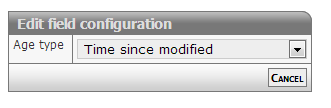
[Description of configs]
Developer info
- FeltTypeID: 84
- SQL datatype: N/A
- Class name: FieldCalcAge
Calc: Time measured
Total waiting time
Properties
- Type: Complex
- Groupable: No
- Show in lists: Yes
- Searchable: Yes
User interface
Field in show mode
[INSERT IMAGE]
Due to its nature this field has no special editing mode.
Configuration

[Description of configs]
Developer info
- FeltTypeID: 85
- SQL datatype: N/A
- Class name: FieldCalcMeasure
Calc: Score interval
Translation of values in intervals
Properties
- Type: Complex
- Groupable: No
- Show in lists: Yes
- Searchable: Yes
User interface
Field in show mode
[INSERT IMAGE]
Due to its nature this field has no special editing mode.
Configuration

[Description of configs]
Developer info
- FeltTypeID: 88
- SQL datatype: DECIMAL(20,4)
- Class name: FieldCalcScore
Calc: Check fields
Check if a list of fields has been filled out
Properties
- Type: Complex
- Groupable: No
- Show in lists: Yes
- Searchable: Yes
User interface
Field in show mode
[INSERT IMAGE]
Due to its nature this field has no special editing mode.
Configuration

[Description of configs]
Developer info
- FeltTypeID: 89
- SQL datatype: TINYINT(1)
- Class name: FieldCalcTestMany
Comments
Entry of a list of comments from the users of the case
Properties
- Type: Complex
- Groupable: No
- Show in lists: No
- Searchable: No
User interface
Field in show mode

Field in edit mode

Configuration
[INSERT IMAGE]
[Description of configs]
Developer info
- FeltTypeID: 140
- SQL datatype: INT(11)
- Class name: FieldComplexComment
Related form multiselect
Filter with single parameters including standard security.
Properties
- Type: Complex
- Groupable: No
- Show in lists: Yes
- Searchable: Yes
- Requires configuration: Yes
User interface
Field in show mode

Field in edit mode
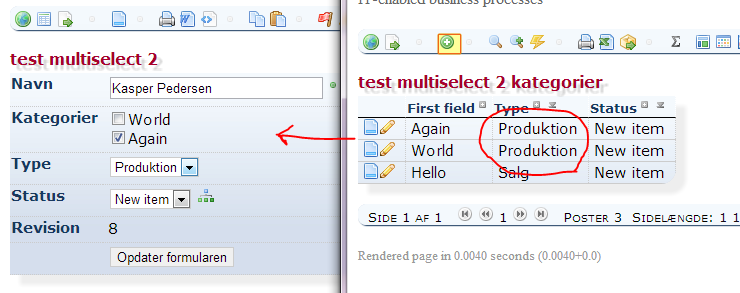
Configuration

[Description of configs]
Special features
There is automatically added a special JS function named: getValueDisplay + [FieldSystemName]
- The function returns a comma seperated list of display values.
- The function is only referable clientside.
Example for displaying the values selected in the field "My statements" (System name ="STATEMENTS"):
alert('You have selected the following values ' + getValueDisplaySTATEMENTS());Developer info
- FeltTypeID: 230
- SQL datatype: INT(11)
- Class name: FieldMultiSelectSubform
Related form multiselect SQL
Freeform definition with multiple parameters with optional security.
Properties
- Type: Complex
- Groupable: No
- Show in lists: Yes
- Searchable: Yes
- Requires configuration: Yes
User interface
Field in show mode

Field in edit mode

Configuration
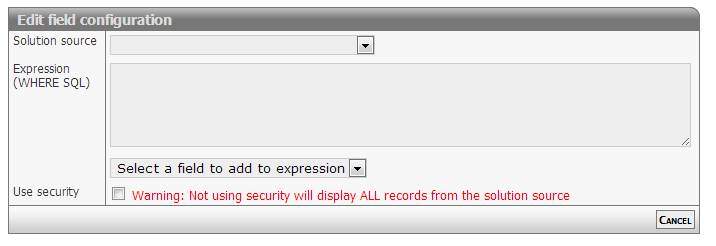
[Eventuel beskrivelse af configs]
Developer info
- FeltTypeID: 231
- SQL datatype: INT(11)
- Class name: FieldMultiSelectSubformSQL
XML data
XML data in lists, table or own output format
Properties
- Type: Complex
- Groupable: No
- Show in lists: No
- Searchable: No
- Requires configuration: Yes
User interface
Field in show mode
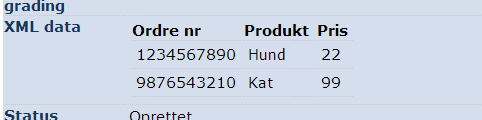
Field in edit mode
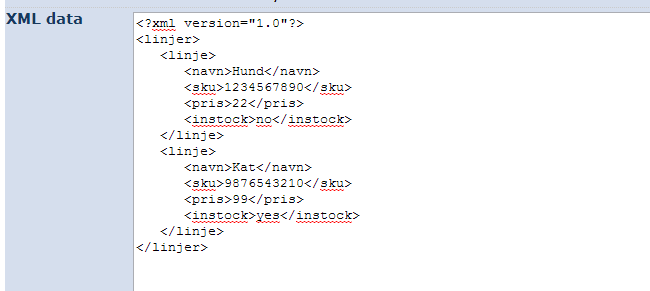
Configuration
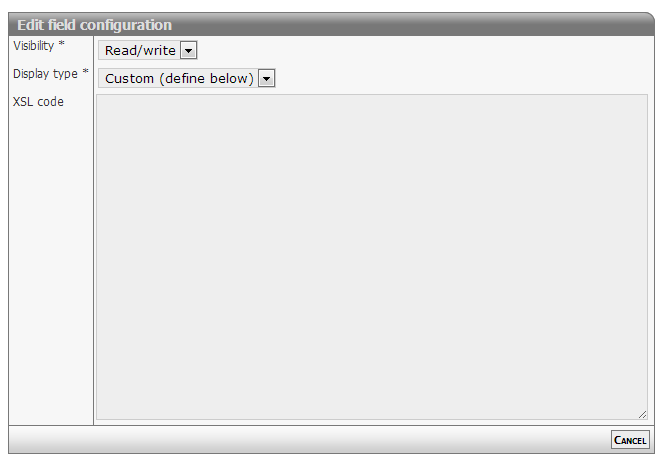
[Description of configs]
Developer info
- FeltTypeID: 400
- SQL datatype: LONGTEXT
- Class name: FieldXmlData
Barcode (status change)
Barcode to change status automatically
Properties
- Type: Complex
- Groupable: No
- Show in lists: No
- Searchable: No
User interface
Field in show mode
[INSERT IMAGE]
Field in edit mode
[INSERT IMAGE]
Configuration
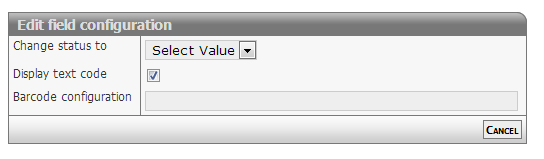
[Description of configs]
Developer info
- FeltTypeID: 651
- SQL datatype: N/A
- Class name: FieldBarcodeAutomation
SQL: Table query
[DESCRIPTION]
Properties
- Type: Complex
- Groupable: [YES/NO]
- Show in lists: [YES/NO]
- Searchable: [YES/NO]
User interface
Field in show mode
[INSERT IMAGE]
Field in edit mode
[INSERT IMAGE]
Configuration
[INSERT IMAGE]
[Eventuel beskrivelse af configs]
Developer info
- FeltTypeID: 520
- SQL datatype: N/A
- Class name: FieldSqlData
Calc: Flag
[DESCRIPTION]
Properties
- Type: Complex
- Groupable: [YES/NO]
- Show in lists: [YES/NO]
- Searchable: [YES/NO]
User interface
Field in show mode
[INSERT IMAGE]
Field in edit mode
[INSERT IMAGE]
Configuration
[INSERT IMAGE]
[Eventuel beskrivelse af configs]
Developer info
- FeltTypeID: 180
- SQL datatype: TINYINT(1)
- Class name: FieldCalcTestFlag
Related entity multiline decimal
A table of lines from another table, maybe with a filter that relates them to this items DataID, and the option to input a decimal number next to each of them.
Properties
- Type: Complex
- Groupable: No
- Show in lists: No
- Searchable: No
User interface
Field in show mode
[INSERT IMAGE]
Field in edit mode
[INSERT IMAGE]
Configuration
[INSERT IMAGE]
This field requires configuration of both parameters before it shows.
Config1
The SQL-query executed, to list the items in the table.
The first column should be *DataID* of the subitem, but it doesn't have to be. As long as *a* column includes this data.
To relate the subtable to the current item, ad a *where clause* comparing to *[DataID]*, where *[DataID]* will be replaced be the current records DataID.
Config2
The Label of the input column in the table.
Developer info
- FeltTypeID: 232
- SQL datatype: INT(11)
- Class name: FieldMultiInputSubformListSQL
Token display
[DESCRIPTION]
Properties
- Type: Complex
- Groupable: [YES/NO]
- Show in lists: [YES/NO]
- Searchable: [YES/NO]
User interface
Field in show mode
[INSERT IMAGE]
Field in edit mode
[INSERT IMAGE]
Configuration
[INSERT IMAGE]
[Eventuel beskrivelse af configs]
Developer info
- FeltTypeID: 760
- SQL datatype: N/A
- Class name: FieldTokenShow
Calc: Document section
[DESCRIPTION]
Properties
- Type: Complex
- Groupable: [YES/NO]
- Show in lists: [YES/NO]
- Searchable: [YES/NO]
User interface
Field in show mode
[INSERT IMAGE]
Field in edit mode
[INSERT IMAGE]
Configuration
[INSERT IMAGE]
[Eventuel beskrivelse af configs]
Developer info
- FeltTypeID: 2085
- SQL datatype: N/A
- Class name: FieldCalcDocumentSection
Geomap Coding
[DESCRIPTION]
Properties
- Type: Complex
- Groupable: [YES/NO]
- Show in lists: [YES/NO]
- Searchable: [YES/NO]
User interface
Field in show mode
[INSERT IMAGE]
Field in edit mode
[INSERT IMAGE]
Configuration
[INSERT IMAGE]
[Eventuel beskrivelse af configs]
Developer info
- FeltTypeID: 2201
- SQL datatype: VARCHAR(80)
- Class name: FieldGeoAddressCoding
Geomap
[DESCRIPTION]
Properties
- Type: Complex
- Groupable: [YES/NO]
- Show in lists: [YES/NO]
- Searchable: [YES/NO]
User interface
Field in show mode
[INSERT IMAGE]
Field in edit mode
[INSERT IMAGE]
Configuration
[INSERT IMAGE]
[Eventuel beskrivelse af configs]
Developer info
- FeltTypeID: 2200
- SQL datatype: DECIMAL(10,6)
- Class name: FieldGeoLocation
System
- Package name: system
Exclusive group
Selection of an Exclusive group
Properties
- Type: System
- Groupable: No
- Show in lists: Yes
- Searchable: Yes
- Requires configuration: No
User interface
Field in show mode
[INSERT IMAGE]
Field in edit mode
[INSERT IMAGE]
Configuration

[Description of configs]
Developer info
- FeltTypeID: 1050
- SQL datatype: INT(11)
- Class name: FieldSystemExclusiveGroup
Status
The present status of the case
Properties
- Type: System
- Groupable: No
- Show in lists: Yes
- Searchable: Yes
- Requires configuration: No
User interface
Field in show mode

Field in edit mode

Configuration
This field does not need deployment (no extra database fields required).
[Description of configs]
Developer info
- FeltTypeID: 1004
- SQL datatype: INT(11)
- Class name: FieldSystemStatus
Status level
[DESCRIPTION]
Properties
- Type: System
- Groupable: [YES/NO]
- Show in lists: [YES/NO]
- Searchable: [YES/NO]
User interface
Field in show mode
[INSERT IMAGE]
Field in edit mode
[INSERT IMAGE]
Configuration
[INSERT IMAGE]
[Eventuel beskrivelse af configs]
Developer info
- FeltTypeID: 1007
- SQL datatype: N/A
- Class name: FieldSystemStatusLevel
Master status
Masterstatus based on the status of the case
Properties
- Type: System
- Groupable: Yes
- Show in lists: Yes
- Searchable: Yes
- Requires configuration: No
User interface
Field in show mode
[INSERT IMAGE]
Due to its nature this field has no special editing mode.
Configuration
This field does not need deployment (no ekstra database fields required).
Developer info
- FeltTypeID: 1030
- SQL datatype: N/A
- Class name: FieldSystemStatusMaster
Status set
The last status update of the case
Properties
- Type: System
- Groupable: Yes
- Show in lists: Yes
- Searchable: Yes
- Requires configuration: No
User interface
Field in show mode
[INSERT IMAGE]
Due to its nature this field has no special editing mode.
Configuration
This field does not need deployment (no ekstra database fields required).
No configuration required for this field type
Developer info
- FeltTypeID: 1013
- SQL datatype: DATETIME
- Class name: FieldSystemDatetimeStatusSet
Status set by
User who last changed status for the case
Properties
- Type: System
- Groupable: Yes
- Show in lists: Yes
- Searchable: Yes
- Requires configuration: No
User interface
Field in show mode
[INSERT IMAGE]
Due to its nature this field has no special editing mode.
Configuration
This field does not need deployment (no ekstra database fields required).
Developer info
- FeltTypeID: 1023
- SQL datatype: INT(11)
- Class name: FieldSystemUserStatusSet
Created
The creation date of the case
Properties
- Type: System
- Groupable: Yes
- Show in lists: Yes
- Searchable: Yes
- Requires configuration: No
User interface
Field in show mode
[INSERT IMAGE]
Due to its nature this field has no special editing mode.
Configuration
This field does not need deployment (no ekstra database fields required).
No configuration required for this field type
Developer info
- FeltTypeID: 1010
- SQL datatype: DATETIME
- Class name: FieldSystemDatetimeCreated
Created by
User who created the case
Properties
- Type: System
- Groupable: Yes
- Show in lists: Yes
- Searchable: Yes
- Requires configuration: No
User interface
Field in show mode

Due to its nature this field has no special editing mode.
Configuration
This field does not need deployment (no ekstra database fields required).
Developer info
- FeltTypeID: 1020
- SQL datatype: INT(11)
- Class name: FieldSystemUserCreated
Modified
The change date of the case
Properties
- Type: System
- Groupable: Yes
- Show in lists: Yes
- Searchable: Yes
- Requires configuration: No
User interface
Field in show mode
[INSERT IMAGE]
Due to its nature this field has no special editing mode.
Configuration
This field does not need deployment (no ekstra database fields required).
No configuration required for this field type
Developer info
- FeltTypeID: 1011
- SQL datatype: DATETIME
- Class name: FieldSystemDatetimeModified
Modified by
User who last modified the case
Properties
- Type: System
- Groupable: Yes
- Show in lists: Yes
- Searchable: Yes
- Requires configuration: No
User interface
Field in show mode

Due to its nature this field has no special editing mode.
Configuration
This field does not need deployment (no ekstra database fields required).
Developer info
- FeltTypeID: 1021
- SQL datatype: INT(11)
- Class name: FieldSystemUserModified
Completed
The termination date of the case
Properties
- Type: System
- Groupable: Yes
- Show in lists: Yes
- Searchable: Yes
- Requires configuration: No
User interface
Field in show mode
[INSERT IMAGE]
Due to its nature this field has no special editing mode.
Configuration
This field does not need deployment (no ekstra database fields required).
No configuration required for this field type
Developer info
- FeltTypeID: 1012
- SQL datatype: INT(11)
- Class name: FieldSystemDatetimeCompleted
Completed by
User who completed the case
Properties
- Type: System
- Groupable: Yes
- Show in lists: Yes
- Searchable: Yes
- Requires configuration: No
User interface
Field in show mode
[INSERT IMAGE]
Due to its nature this field has no special editing mode.
Configuration
This field does not need deployment (no ekstra database fields required).
Developer info
- FeltTypeID: 1022
- SQL datatype: INT(11)
- Class name: FieldSystemUserCompleted
Solution type
Selection of a solution type
Properties
- Type: System
- Groupable: Yes
- Show in lists: Yes
- Searchable: Yes
- Requires configuration: No
User interface
Field in show mode
[INSERT IMAGE]
Field in edit mode
[INSERT IMAGE]
Configuration
No configuration required for this field type
Developer info
- FeltTypeID: 1040
- SQL datatype: INT(11)
- Class name: FieldSystemFormType
Member list
Users with access to the element
Properties
- Type: System
- Groupable: No
- Show in lists: Yes
- Searchable: No
- Requires configuration: No
User interface
Field in show mode
[INSERT IMAGE]
Field in edit mode
[INSERT IMAGE]
Configuration

[Description of configs]
Developer info
- FeltTypeID: 1051
- SQL datatype: INT(11)
- Class name: FieldSystemMemberList
Revision
[DESCRIPTION]
Properties
- Type: System
- Groupable: [YES/NO]
- Show in lists: [YES/NO]
- Searchable: [YES/NO]
User interface
Field in show mode
[INSERT IMAGE]
Field in edit mode
[INSERT IMAGE]
Configuration
[INSERT IMAGE]
[Eventuel beskrivelse af configs]
Developer info
- FeltTypeID: 1001
- SQL datatype: INT(11)
- Class name: FieldSystemRevision
Record role permission
[DESCRIPTION]
Properties
- Type: System
- Groupable: [YES/NO]
- Show in lists: [YES/NO]
- Searchable: [YES/NO]
User interface
Field in show mode
[INSERT IMAGE]
Field in edit mode
[INSERT IMAGE]
Configuration
[INSERT IMAGE]
[Eventuel beskrivelse af configs]
Developer info
- FeltTypeID: 1052
- SQL datatype: N/A
- Class name: FieldUserPermission
Member group list
[DESCRIPTION]
Properties
- Type: System
- Groupable: [YES/NO]
- Show in lists: [YES/NO]
- Searchable: [YES/NO]
User interface
Field in show mode
[INSERT IMAGE]
Field in edit mode
[INSERT IMAGE]
Configuration
[INSERT IMAGE]
[Eventuel beskrivelse af configs]
Developer info
- FeltTypeID: 1053
- SQL datatype: INT(11)
- Class name: FieldSystemMemberGroupList
Medico
- Package name: medico
Age calc (date/CPR)
Estimating the age of the user based on date and CPR number
Properties
- Type: Medico
- Groupable: No
- Show in lists: Yes
- Searchable: Yes
User interface
Field in show mode

Due to its nature this field has no special editing mode.
Configuration
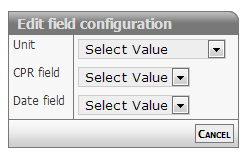
[Description of configs]
Developer info
- FeltTypeID: 641
- SQL datatype: DECIMAL(10,2)
- Class name: FieldCalcAgeOnCPR
Body Mass Index
Calculating BMI based on height and weight (from seperate inputs)
Properties
- Type: Medico
- Groupable: No
- Show in lists: Yes
- Searchable: Yes
User interface
Field in show mode

Due to its nature this field has no special editing mode.
Configuration

[Description of configs]
Developer info
- FeltTypeID: 642
- SQL datatype: DECIMAL(10,2)
- Class name: FieldCalcBMI
Activity measure
Measurement of weekly activity
Properties
- Type: Medico
- Groupable: No
- Show in lists: Yes
- Searchable: Yes
- Requires configuration: No
User interface
Field in show mode

Field in edit mode

Configuration
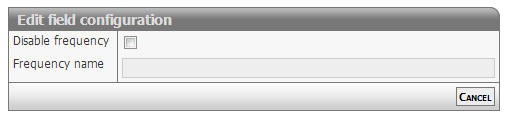
[Description of configs]
Developer info
- FeltTypeID: 643
- SQL datatype: DECIMAL(10,4)
- Class name: FieldTrainingSurvey
Gender (CPR)
Deduction of gender based on CPR number
Properties
- Type: Medico
- Groupable: No
- Show in lists: Yes
- Searchable: Yes
User interface
Field in show mode

Due to its nature this field has no special editing mode.
Configuration
This field requires configuration before deployment.
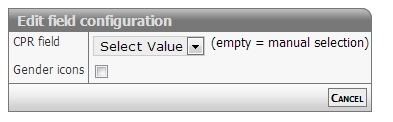
[Description of configs]
Developer info
- FeltTypeID: 644
- SQL datatype: TINYINT(1)
- Class name: FieldGenderOnCPR
Checkbox counter
[DESCRIPTION]
Properties
- Type: Medico
- Groupable: [YES/NO]
- Show in lists: [YES/NO]
- Searchable: [YES/NO]
User interface
Field in show mode
[INSERT IMAGE]
Field in edit mode
[INSERT IMAGE]
Configuration
[INSERT IMAGE]
[Eventuel beskrivelse af configs]
Developer info
- FeltTypeID: 645
- SQL datatype: VARCHAR(80)
- Class name: FieldCheckboxCollection
MET scoreboard
Measurement of month, amount and size
Properties
- Type: Medico
- Groupable: No
- Show in lists: No
- Searchable: Yes
User interface
Field in show mode

Field in edit mode

Configuration
No configuration required for this field type
Developer info
- FeltTypeID: 646
- SQL datatype: DECIMAL(10,4)
- Class name: FieldCompoundMET
Action button
- Package name: button
Button: Token URL builder
Building link to external users
Properties
- Type: Action button
- Groupable: No
- Show in lists: No
- Searchable: No
- Requires configuration: Yes
User interface
Field in show mode

Due to its nature this field has no special editing mode.
Configuration
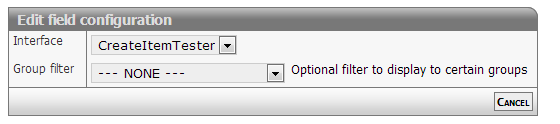
[Description of configs]
Developer info
- FeltTypeID: 710
- SQL datatype: N/A
- Class name: FieldTokenMailto
Button: Export template
Export of data to a certain template
Properties
- Type: Action button
- Groupable: No
- Show in lists: No
- Searchable: No
User interface
Field in show mode

Due to its nature this field has no special editing mode.
Configuration
This field requires configuration before deployment.

[Description of configs]
Developer info
- FeltTypeID: 720
- SQL datatype: N/A
- Class name: FieldExportTemplate
Button: Script execution
Execute script when clicking the button, with option to save data first.
Properties
- Type: Action button
- Groupable: No
- Show in lists: No
- Searchable: No
User interface
Field in show mode

Due to its nature this field has no special editing mode.
Configuration
This field requires configuration before deployment.

Javascript: Here you write code to be executed when button is pressed.
Submit after: Saves the record immediately after code has been run.
Group filter: limit access to a single group.
Developer info
- FeltTypeID: 730
- SQL datatype: N/A
- Class name: FieldExecuteJavaScript
Button: Parameterized URL
Button to navigate somewhere else. Can be to an external url.
Properties
- Type: Action button
- Groupable: No
- Show in lists: No
- Searchable: No
- Requires configuration: Yes
User interface
Field in show mode

Due to its nature this field has no special editing mode.
Configuration

URL template: Here you write the target url of the button link. You can use data from a field with the syntax [*DATA*]. DataID can likewise be used via [DataID]. It is also possible to use this field to point to some other location in the application by starting the url from "main?".
Group filter: Contrary to what it says, you can only filter to a single group, not several.
Developer info
- FeltTypeID: 740
- SQL datatype: N/A
- Class name: FieldParameterLookup
Button: Related list search
Look-up in related list with parameter
Properties
- Type: Action button
- Groupable: No
- Show in lists: No
- Searchable: No
- Requires configuration: Yes
User interface
Field in show mode

Due to its nature this field has no special editing mode.
Configuration
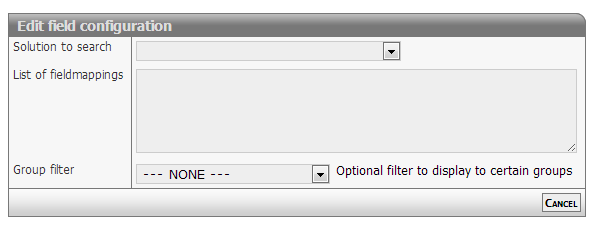
[Description of configs]
Developer info
- FeltTypeID: 741
- SQL datatype: N/A
- Class name: FieldParameterListSearch
Button: Grand child search
Look-up in related data (Grand children)
Properties
- Type: Action button
- Groupable: No
- Show in lists: No
- Searchable: No
User interface
Field in show mode

Due to its nature this field has no special editing mode.
Configuration
Due to its nature this field has no special editing mode.
[INSERT IMAGE]
[Description of configs]
Developer info
- FeltTypeID: 742
- SQL datatype: N/A
- Class name: FieldGrandChildSearch
Button: Codeunit execution
Execute proprietary code
Properties
- Type: Action button
- Groupable: No
- Show in lists: No
- Searchable: No
User interface
Field in show mode

Due to its nature this field has no special editing mode.
Configuration

[Description of configs]
Ajax subforms
The following code changes subform behavior to call the codeunit silently and reload the page when done
$(function() {
  $('#VB_DATA_SUBFORM a.codeunitButton').click( function(e) {
    e.preventDefault();
    $.get( $(this).attr("href") );
    //$(this).parent().parent().hide();
    location.reload();
    return false;
  });
});
Developer info
- FeltTypeID: 750
- SQL datatype: N/A
- Class name: FieldCodeunitPage
Button: Status changer
Changes the status of the record to the selected status
Properties
- Type: Action button
- Groupable: No
- Show in lists: Yes
- Searchable: No
- Requires configuration: No
User interface
Field in show mode
[INSERT IMAGE]
Due to its nature this field has no special editing mode.
Configuration
[INSERT IMAGE]
The field does not required configuration before deployment, but does take up to 3 parameters.
Configuration 1: Mandatory StatusID to change to. Forces only that Status to chow up.
Configuration 2: Optional field to set to NOW upon button-click
Configuration 3: Group filter. Filter button to only be shown to users with that GroupID
Developer info
- FeltTypeID: 751
- SQL datatype: N/A
- Class name: FieldStateChanger
Filter selector static
Set value in user session. For example for data filters.
Properties
- Type: Action button
- Groupable: No
- Show in lists: No
- Searchable: No
- Requires configuration: Yes
User interface
Field in show mode
[INSERT IMAGE]
Field in edit mode
[INSERT IMAGE]
Configuration
[INSERT IMAGE]
[Description of configs]
Developer info
- FeltTypeID: 2090
- SQL datatype: N/A
- Class name: FieldSessionFilterSelector
Button: Clone record
[DESCRIPTION]
Properties
- Type: Parent/child
- Groupable: [YES/NO]
- Show in lists: [YES/NO]
- Searchable: [YES/NO]
User interface
Field in show mode
[INSERT IMAGE]
Field in edit mode
[INSERT IMAGE]
Configuration
[INSERT IMAGE]
[Eventuel beskrivelse af configs]
Developer info
- FeltTypeID: 753
- SQL datatype: N/A
- Class name: FieldCloneRecord
Visual extra
- Package name: visual
Visual: Target gauge Total
Show lifetime performance speedometer
Properties
- Type: Visual extra
- Groupable: No
- Show in lists: No
- Searchable: No
User interface
Field in show mode

Due to its nature this field has no special editing mode.
Configuration
This field does not need deployment (no ekstra database fields required).
No configuration required for this field type
Developer info
- FeltTypeID: 810
- SQL datatype: N/A
- Class name: FieldGaugePerformance
Visual: Target gauge Step
Show performance speedometer for this step
Properties
- Type: Visual extra
- Groupable: No
- Show in lists: No
- Searchable: No
User interface
Field in show mode

Due to its nature this field has no special editing mode.
Configuration
This field does not need deployment (no ekstra database fields required).
No configuration required for this field type
Developer info
- FeltTypeID: 811
- SQL datatype: N/A
- Class name: FieldGaugePerformanceStep
Canvas: Freehand
Draw, freehand, in a canvas
Properties
- Type: Visual extra
- Groupable: [YES/NO]
- Show in lists: [YES/NO]
- Searchable: [YES/NO]
User interface
Field in show mode
[INSERT IMAGE]
Field in edit mode
[INSERT IMAGE]
Configuration
[INSERT IMAGE]
[Description of configs]
Developer info
- FeltTypeID: 812
- SQL datatype: MEDIUMTEXT
- Class name: FieldCanvasDrawing
Canvas: Marking
Mark a spot on an image
Properties
- Type: Visual extra
- Groupable: [YES/NO]
- Show in lists: [YES/NO]
- Searchable: [YES/NO]
User interface
Field in show mode
[INSERT IMAGE]
Field in edit mode
[INSERT IMAGE]
Configuration
[INSERT IMAGE]
[Description of configs]
Developer info
- FeltTypeID: 813
- SQL datatype: TINYTEXT
- Class name: FieldCanvasMarking
Sliderbar
Numbers with decimal comma using a sliderbar for input
Properties
- Type: Visual extra
- Groupable: No
- Show in lists: Yes
- Searchable: Yes
- Requires configuration: [Yes/no]
User interface
Field in show mode

Field in edit mode

Configuration

Required:
- Minimal value
- Maximum value
Options:
- Making the slider display vertically
- orientation: "vertical",
- Using steps i the slider
- step: 10,
- JSON configuration notes: [1]
Developer info
- FeltTypeID: 911
- SQL datatype: DECIMAL(20,6)
- Class name: FieldSliderBarDecimal
SQL: Diagram query
Shows an sql-query as a graph, just like the dashboard widget, with the same configs as the sql-subselect field.
Properties
- Type: Visual extra
- Groupable: No
- Show in lists: No
- Searchable: No
- Requires configuration: Yes
User interface
Field in show mode, when rendering a line-chart.
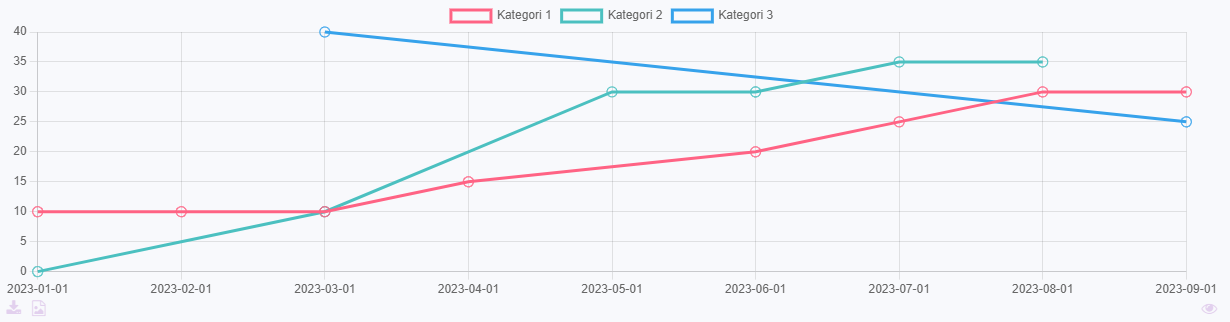
Due to its nature this field has no special editing mode.
Configuration
[INSERT IMAGE]
Either, write an sql-query that fetches the exact data to be shown, as described here.
Or, write a simple sql-query that fetches the lines of data and select render-mode "Parse listed data".
Select a graph type, remember that the expected structure of the data is different for circle- and xy-graphs.
Parse listed data
This option parses the given data in the following way.
- Column 1 will be used as x-axis values.
- Column 2 will be used for datasets in the graph.
- Column 3 will be used for y-axis values.
Example
This is data generated by the query: SELECT DATE, CATEGORY, AMOUNT FROM data_demoentity ORDER BY DATE ASC
| Date | Category | Amount |
|---|---|---|
| 01/01/2024 | Category 1 | 10 |
| 01/01/2024 | Category 2 | 0 |
| 01/01/2024 | Category 3 | 15 |
| 01/02/2024 | Category 1 | 20 |
| 01/03/2024 | Category 2 | 20 |
| 01/04/2024 | Category 1 | 30 |
| 01/04/2024 | Category 2 | 10 |
| 01/04/2024 | Category 3 | 15 |
This will be transformed to this, when rendering an xy-graph.
| Title | Category 1 | Category 2 | Category 3 |
|---|---|---|---|
| 01/01/2024 | 10 | 0 | 15 |
| 01/02/2024 | 20 | ||
| 01/03/2024 | 20 | ||
| 01/04/2024 | 30 | 10 | 15 |
Developer info
- FeltTypeID: 530
- SQL datatype: N/A
- Class name: FieldSubselectDiagram
Extension
- Package name: extension
Word heatmap index
Specialised index field only showned in reports
Properties
- Type: Extension
- Groupable: No
- Show in lists: No
- Searchable: No
User interface
Due to its nature this field is never shown in the interface.
Configuration
This field does not need deployment (no extra database fields required).
No configuration required for this field type.
Developer info
- FeltTypeID: 690
- SQL datatype: N/A
- Class name: FieldComplexQuestionIndex
Question and answer
[DESCRIPTION]
Properties
- Type: Extension
- Groupable: [YES/NO]
- Show in lists: [YES/NO]
- Searchable: [YES/NO]
User interface
Field in show mode
[INSERT IMAGE]
Field in edit mode
[INSERT IMAGE]
Configuration
[INSERT IMAGE]
[Eventuel beskrivelse af configs]
Developer info
- FeltTypeID: 2065
- SQL datatype: INT(11)
- Class name: FieldComplexQuestion
Complex question
Complex question with recommendation, numerical score and coloring
Properties
- Type: Extension
- Groupable: No
- Show in lists: No
- Searchable: Yes
User interface
Field in show mode
[INSERT IMAGE]
Field in edit mode
[INSERT IMAGE]
Configuration

[Description of configs]
Developer info
- FeltTypeID: 2066
- SQL datatype: INT(11)
- Class name: FieldComplexQuestionWillis
Multiline: Complex question
MULTIPLE LOCATION: Complex question
Properties
- Type: Extension
- Groupable: No
- Show in lists: No
- Searchable: No
- Requires configuration: [Yes/No]
User interface
Field in show mode
[INSERT IMAGE]
Field in edit mode
[INSERT IMAGE]
Configuration

[Description of configs]
Developer info
- FeltTypeID: 2067
- SQL datatype: INT(11)
- Class name: FieldComplexQuestionMultiLocation
Multiline: Location editor
MULTIPLE LOCATION: Name of location
Properties
- Type: Extension
- Groupable: No
- Show in lists: No
- Searchable: Yes
User interface
Field in show mode
[INSERT IMAGE]
Field in edit mode
[INSERT IMAGE]
For bulk imports the "|" (vertical bar or pipe) may be used as an alternative newline.
Configuration
No configuration required for this field type
Developer info
- FeltTypeID: 2068
- SQL datatype: N/A
- Class name: FieldMultiLocation
Year comparator
Comparing fields from previous years
Properties
- Type: Extension
- Groupable: No
- Show in lists: No
- Searchable: No
- Requires configuration: Yes
User interface
This field is not displayed as a normal field.
Field in edit mode
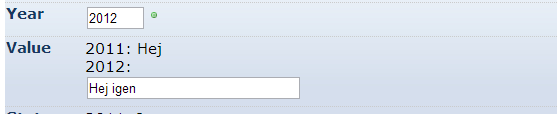
Configuration
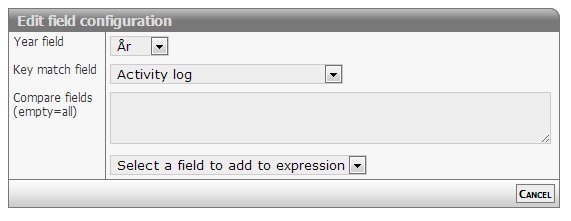
[Description of configs]
Developer info
- FeltTypeID: 2070
- SQL datatype: N/A
- Class name: FieldYearRepeatCompare
Calc: Complex question (sum)
Formula based on other fields
Properties
- Type: Extension
- Groupable: No
- Show in lists: No
- Searchable: No
User interface
Field in show mode
[INSERT IMAGE]
Due to its nature this field has no special editing mode.
Configuration

[Description of configs]
Developer info
- FeltTypeID: 2081
- SQL datatype: DECIMAL(10,4)
- Class name: FieldCalcFormulaWillis
Calc: Count missing fields
Number of missing fields in a form or questionaire
Properties
- Type: Extension
- Groupable: No
- Show in lists: No
- Searchable: No
User interface
Field in show mode
[INSERT IMAGE]
Due to its nature this field has no special editing mode.
Configuration

[Description of configs]
Developer info
- FeltTypeID: 2082
- SQL datatype: INT(11)
- Class name: FieldMissingValues
Jobnet OccupationConceptUri
[DESCRIPTION]
Properties
- Type: Extension
- Groupable: [YES/NO]
- Show in lists: [YES/NO]
- Searchable: [YES/NO]
User interface
Field in show mode
[INSERT IMAGE]
Field in edit mode
[INSERT IMAGE]
Configuration
[INSERT IMAGE]
[Eventuel beskrivelse af configs]
Developer info
- FeltTypeID: 2020
- SQL datatype: VARCHAR(256)
- Class name: FieldJobnetOccupationConceptUri
Document snippet
[DESCRIPTION]
Properties
- Type: Extension
- Groupable: [YES/NO]
- Show in lists: [YES/NO]
- Searchable: [YES/NO]
User interface
Field in show mode
[INSERT IMAGE]
Field in edit mode
[INSERT IMAGE]
Configuration
[INSERT IMAGE]
[Eventuel beskrivelse af configs]
Developer info
- FeltTypeID: 2064
- SQL datatype: INT(11)
- Class name: FieldDocumentSnippetLookup
Multiline: Index builder
[DESCRIPTION]
Properties
- Type: Extension
- Groupable: [YES/NO]
- Show in lists: [YES/NO]
- Searchable: [YES/NO]
User interface
Field in show mode
[INSERT IMAGE]
Field in edit mode
[INSERT IMAGE]
Configuration
[INSERT IMAGE]
[Eventuel beskrivelse af configs]
Developer info
- FeltTypeID: 2069
- SQL datatype: N/A
- Class name: FormComplexQuestionMultiLocationIndex
Question and answer
Complex question with recommendation, numerical score and coloring
Properties
- Type: Extension
- Groupable: No
- Show in lists: No
- Searchable: No
User interface
Field in show mode
[INSERT IMAGE]
Field in edit mode
[INSERT IMAGE]
Configuration

[Description of configs]
Developer info
- FeltTypeID: 2065
- SQL datatype: N/A
- Class name: FieldComplexQuestion
Complex question MV
[DESCRIPTION]
Properties
- Type: Extension
- Groupable: [YES/NO]
- Show in lists: [YES/NO]
- Searchable: [YES/NO]
User interface
Field in show mode
[INSERT IMAGE]
Field in edit mode
[INSERT IMAGE]
Configuration
[INSERT IMAGE]
[Eventuel beskrivelse af configs]
Developer info
- FeltTypeID: 2166
- SQL datatype: INT(11)
- Class name: FieldComplexQuestionWillisMV
Diagram builder
[DESCRIPTION]
Properties
- Type: Extension
- Groupable: [YES/NO]
- Show in lists: [YES/NO]
- Searchable: [YES/NO]
User interface
Field in show mode
[INSERT IMAGE]
Field in edit mode
[INSERT IMAGE]
Configuration
[INSERT IMAGE]
[Eventuel beskrivelse af configs]
Developer info
- FeltTypeID: 2071
- SQL datatype: N/A
- Class name: FieldDiagramBuilder