
1. Component types
Component types (templates) are defined in the entity "Component Types".

A component type is composed of 4 attributes:
The name
Just the name shown in the dropdown, when selecting a component type for a page component.
The preview image
A sample image, that will be shown when selecting the component type for a page component.
The template
Either:
An ID of an HTML template, defined as a template in the designer.
The raw HTML template.
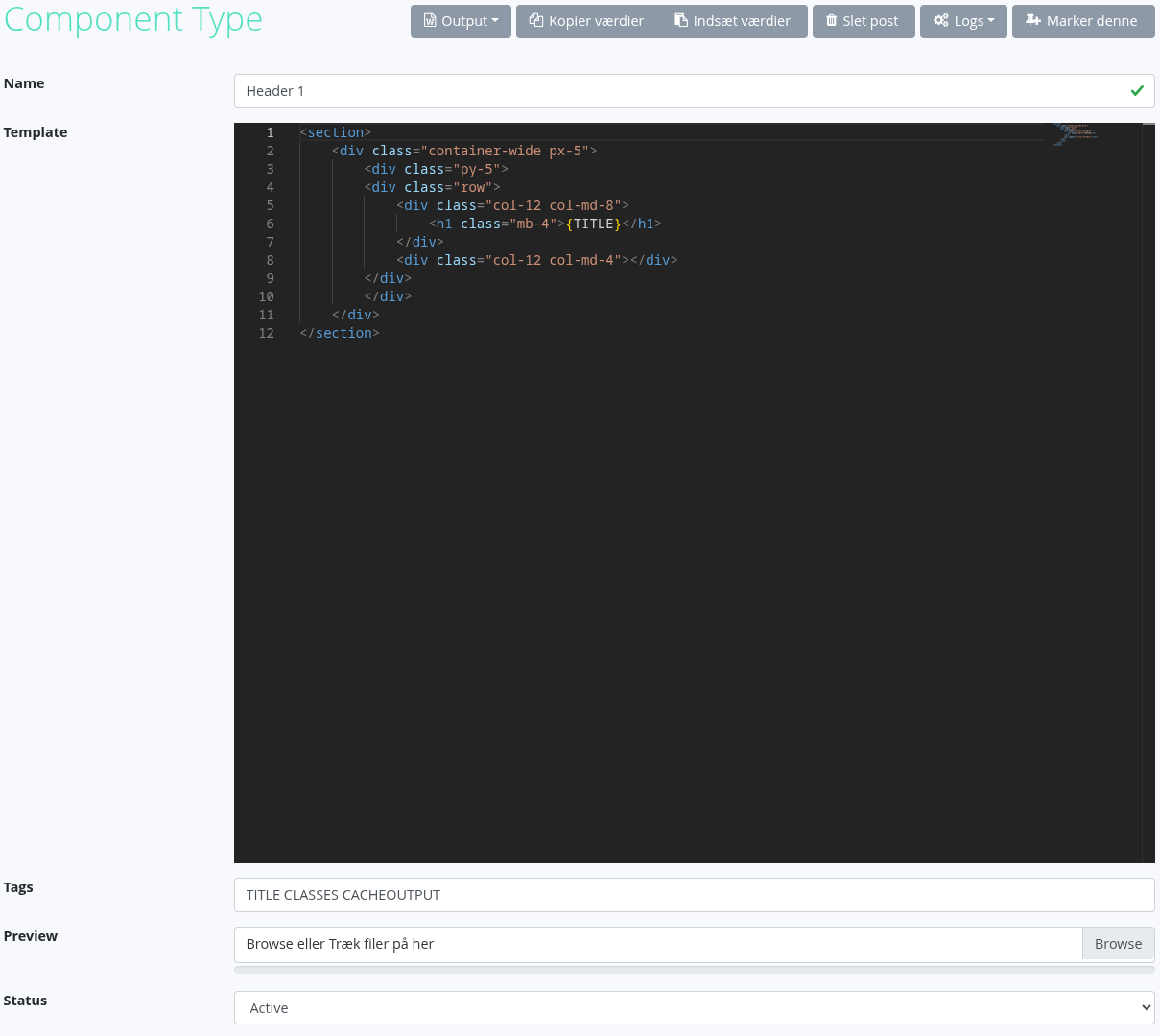
When inputting content into the template the following syntax is used:
The system name of the field, encapsulated in curly brackets, eg. {TITLE}.
Simple compares are available, eg. {IF_TITLE=ABC}.
Must also have an end-tag, {ENDIF}.
Can also make use of an else-tag, {ELSE}, eg. {IF_TITLE=ABC}<div>{SUBTITLE}</div>{ELSE}<span{SUBTITLE}</span>{ENDIF}.
Execution of page codeunits is also supported.
Input the name of the codeunit, like you would in the url command-parameter, prefix with a @ and encapsulate in curly brackets, eg. {@com.tsnocode.codeunit.common.HelloWorld}.
Execution of codeunits is the last instruction, when redering a component, thus it is possible to inject this value from an input field.